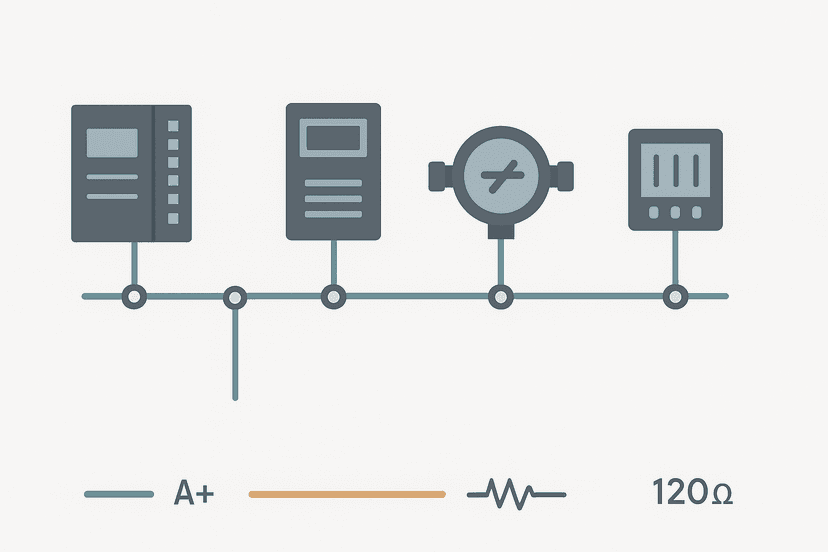
SCADA vs HMI: What Actually Differs and Why It Matters
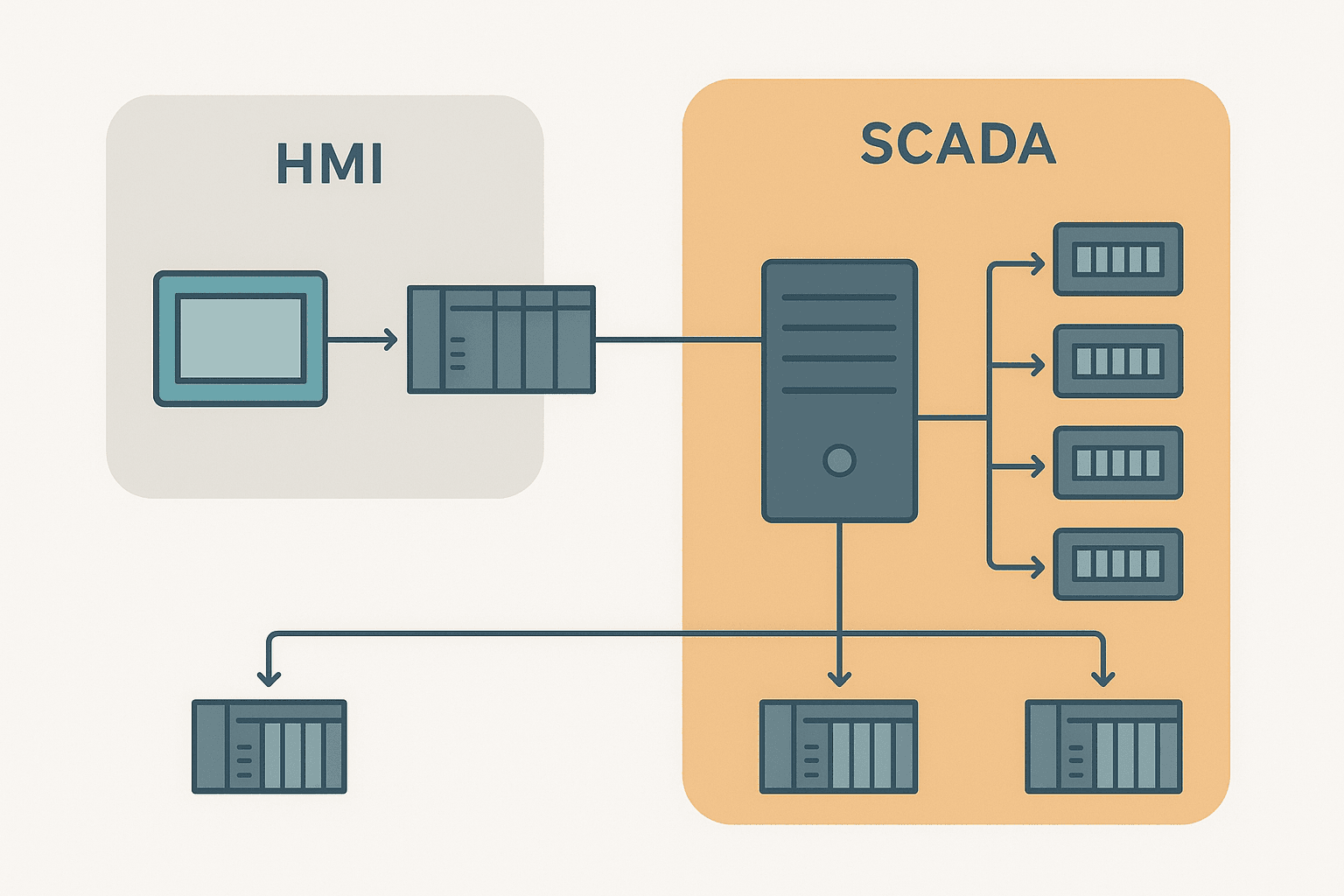
Ask ten engineers what the difference is between SCADA and HMI and you will get ten slightly different answers. That is partly because the line has blurred over the years, and partly because vendors market the same software package under both names depending on who they are selling to. But the architectural distinction is real and it matters when you are scoping a project, budgeting software licences, or troubleshooting why your historian is not logging what you expect.
SCADA vs HMI: The Core Difference in One Sentence
An HMI (Human Machine Interface) is a local operator interface for one machine or one control panel. A SCADA (Supervisory Control and Data Acquisition) system supervises multiple pieces of equipment, often spread across a large site or multiple sites, and adds data acquisition, alarming, trending, and historian functions that a standalone HMI typically does not provide.
That is the clean textbook version. In the field, a Siemens Comfort Panel running WinCC Basic is unambiguously an HMI. A Wonderware (now AVEVA) System Platform installation collecting data from 200 remote PLCs across a water network is unambiguously SCADA. The confusion starts in the middle: a PC running FactoryTalk View SE, or Ignition running on a single-machine cell. Both can be called either, depending on how they are configured.
What an HMI Actually Does
A dedicated HMI is essentially a ruggedised touch panel or small PC that communicates directly with one PLC or a small cluster of devices. Its job is to give the operator on the floor a way to see process values, acknowledge alarms, and trigger actions without opening a cabinet or staring at indicator lights.
- Displays real-time tag values: temperatures, speeds, counts, valve states.
- Shows faceplate controls: start/stop buttons, setpoint entry, mode selection.
- Manages a local alarm list: active, acknowledged, cleared.
- May log a short historical buffer, typically a few days at most.
- Communicates over a direct driver connection: EtherNet/IP, PROFINET, Modbus TCP, or a serial link.
Hardware examples: Allen-Bradley PanelView Plus 7, Siemens TP700 Comfort, Omron NS12, Weintek MT8000 series. These are purpose-built boxes with a fixed screen size, a real-time OS, and a tag database that lives entirely on the panel. They are cheap to deploy, reliable, and completely self-contained. The trade-off is that they see only what is wired to them.
What SCADA Actually Does
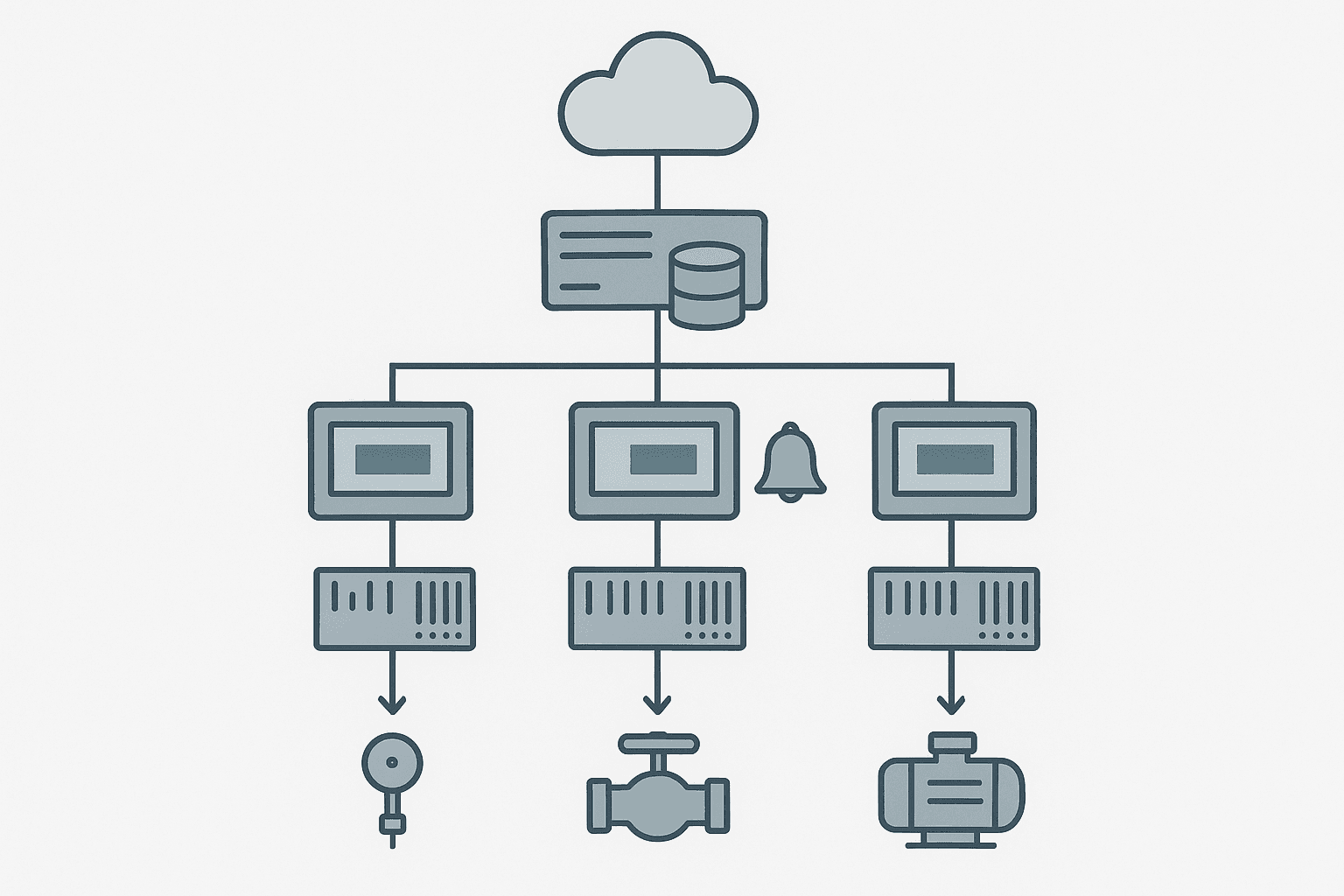
SCADA is supervisory. The clue is in the name. It sits above the control layer, polling data from many PLCs, RTUs, or field devices and presenting a plant-wide or enterprise-wide picture. The control still happens in the PLC; SCADA supervises it, records it, and raises alarms when something is outside limits.
- Aggregates data from dozens to thousands of remote devices over a WAN or plant LAN.
- Runs a historian: months or years of time-series data with sub-second resolution if needed.
- Provides multi-client access: engineers on a workstation, operators on a thin client, managers on a web dashboard.
- Implements site-wide alarm management with escalation, routing, and shelving.
- Supports scripting and calculations that span multiple PLCs (e.g. total site energy = sum of 14 sub-meters).
- Integrates with ERP, MES, or cloud platforms via OPC UA, REST APIs, or database connectors.
Common SCADA platforms: Ignition by Inductive Automation, AVEVA System Platform, Siemens WinCC SCADA (not to be confused with WinCC Basic on a panel), Rockwell FactoryTalk View SE, GE iFIX, Citect SCADA. These all run on Windows Server or Linux server hardware and are licenced per client, per tag count, or per server depending on the vendor.
Side-by-Side Comparison
| Feature | HMI | SCADA |
|---|---|---|
| Primary purpose | Local operator interface | Supervisory monitoring and data acquisition |
| Typical scope | 1 machine or 1 panel | Multiple machines, a whole plant, or multiple sites |
| Tag count | Dozens to a few hundred | Thousands to hundreds of thousands |
| Historian | Short buffer, hours to days | Long-term, months to years |
| Multi-user access | Single operator at the panel | Multiple simultaneous clients |
| Hardware | Dedicated touch panel or panel PC | Server-class PC or VM, plus client workstations |
| Connectivity | Direct PLC driver (EtherNet/IP, PROFINET, Modbus) | OPC UA, OPC DA, drivers, MQTT, database links |
| Licencing model | Per device, one-time | Per server, per client, or per tag (subscription possible) |
| Typical cost | $500 to $5,000 hardware + software | $5,000 to $500,000+ depending on scope |
| Remote access | Rare, usually not built in | Core feature, web clients, VPN access, mobile apps |
Where the Line Gets Blurry
Inductive Automation's Ignition is the classic example. You can install it on a $300 Raspberry Pi, connect it to one PLC, and use it exactly like a local HMI. Or you can install it on a redundant server pair, connect 500 PLCs across 12 sites, and run a historian with millions of tags. Same software, radically different roles. Ignition calls itself a SCADA platform. On that Raspberry Pi it is functionally an HMI.
Siemens WinCC is another one. WinCC Basic ships inside TIA Portal and runs only on Siemens panels. WinCC Comfort and Advanced run on a panel PC and get closer to SCADA territory. WinCC Professional and WinCC SCADA are full server-client systems. The product family spans the entire spectrum. Rockwell does the same thing: FactoryTalk View ME (Machine Edition) is HMI, FactoryTalk View SE (Site Edition) is SCADA.
How a PLC Fits Into Both
Neither an HMI nor a SCADA system replaces the PLC. This is the most important thing to understand for anyone new to industrial automation. The PLC executes the control logic at scan-cycle speed, typically 1 to 50 ms. The HMI or SCADA system reads and writes PLC tags at a much slower update rate, typically 100 ms to 1 second for display purposes. If your SCADA server goes offline, the PLC keeps running. Conveyors keep moving, pumps keep pumping. The operator just loses visibility.
The architecture is almost always: field sensors and actuators talk to the PLC, the PLC executes logic, and then the HMI or SCADA reads the PLC's data tables over a network protocol. For Rockwell systems that protocol is EtherNet/IP with the CIP driver. For Siemens it is S7 communication or OPC UA. For most others, Modbus TCP or OPC UA is the common denominator. You can read more about how Modbus TCP framing works in the post on Modbus RTU Protocol Explained, which covers the same framing concepts that carry over to the TCP version.
Choosing Between an HMI and a SCADA System
For most standalone machines: a dedicated HMI panel is the right answer. It is simpler to commission, has no Windows licensing headaches, boots in seconds, and will not suffer from Windows Update reboots at 3 AM. A PanelView Plus 7 or a Weintek panel is perfectly adequate for a packaging machine, a hydraulic press, or a conveyor section.
Move to SCADA when you need any of the following:
- Data from more than one PLC on a single screen.
- A historian that operators or engineers can query for trend analysis.
- Remote access for engineers or management without standing at the panel.
- Integration with MES, ERP, or cloud dashboards.
- Centralised alarm management across a whole facility.
- More than one operator position viewing the same process simultaneously.
A Quick Word on DCS
People often ask about DCS (Distributed Control System) in the same breath. A DCS is an integrated platform where the control logic, I/O, and operator interface are all provided by the same vendor as a tightly coupled system. Think Emerson DeltaV, Honeywell Experion, or ABB 800xA. DCS systems are common in continuous process industries: oil refining, chemical plants, power generation. They blur the PLC and SCADA boundary because the 'PLC equivalent' and the historian are the same product. For discrete manufacturing, PLC plus SCADA is the dominant architecture. For continuous process, DCS wins. There is overlap, but that is the rough rule.
Summary
HMI is local, single-machine, operator-facing, and hardware-centric. SCADA is supervisory, multi-device, data-centric, and server-based. The PLC does the actual control in both cases. When you are speccing a new project, ask how many PLCs need to be visible, whether you need a historian, and whether more than one person needs concurrent access. Those three questions will almost always tell you which one you need, regardless of what the vendor calls their product.
Frequently asked questions
Can an HMI replace a SCADA system?
Does a SCADA system need a PLC?
What is the difference between WinCC and WinCC SCADA?
Is Ignition an HMI or a SCADA platform?
Do SCADA systems control equipment directly?
What communication protocols connect HMIs and SCADA to PLCs?
Learn this by building it
There is a PLC in this site. It runs a real scan engine, checks your logic against the same tests a working machine would fail, and needs no download and no account.
Open the exercisesFree, no signup, runs in your browser. See all 16 exercises.
Was this helpful?