TIA Portal Data Blocks: DB Types and When to Use Each
Data blocks are where all the persistent data in an S7 program lives. Variables declared inside a function block (FB) or a global DB hold their values across PLC scans, survive controller mode changes, and get retained through power cycles if you set the right attributes. But TIA Portal gives you four distinct DB types, and picking the wrong one causes subtle bugs that are genuinely hard to track down. This post breaks down exactly what each type does and when you should reach for it.
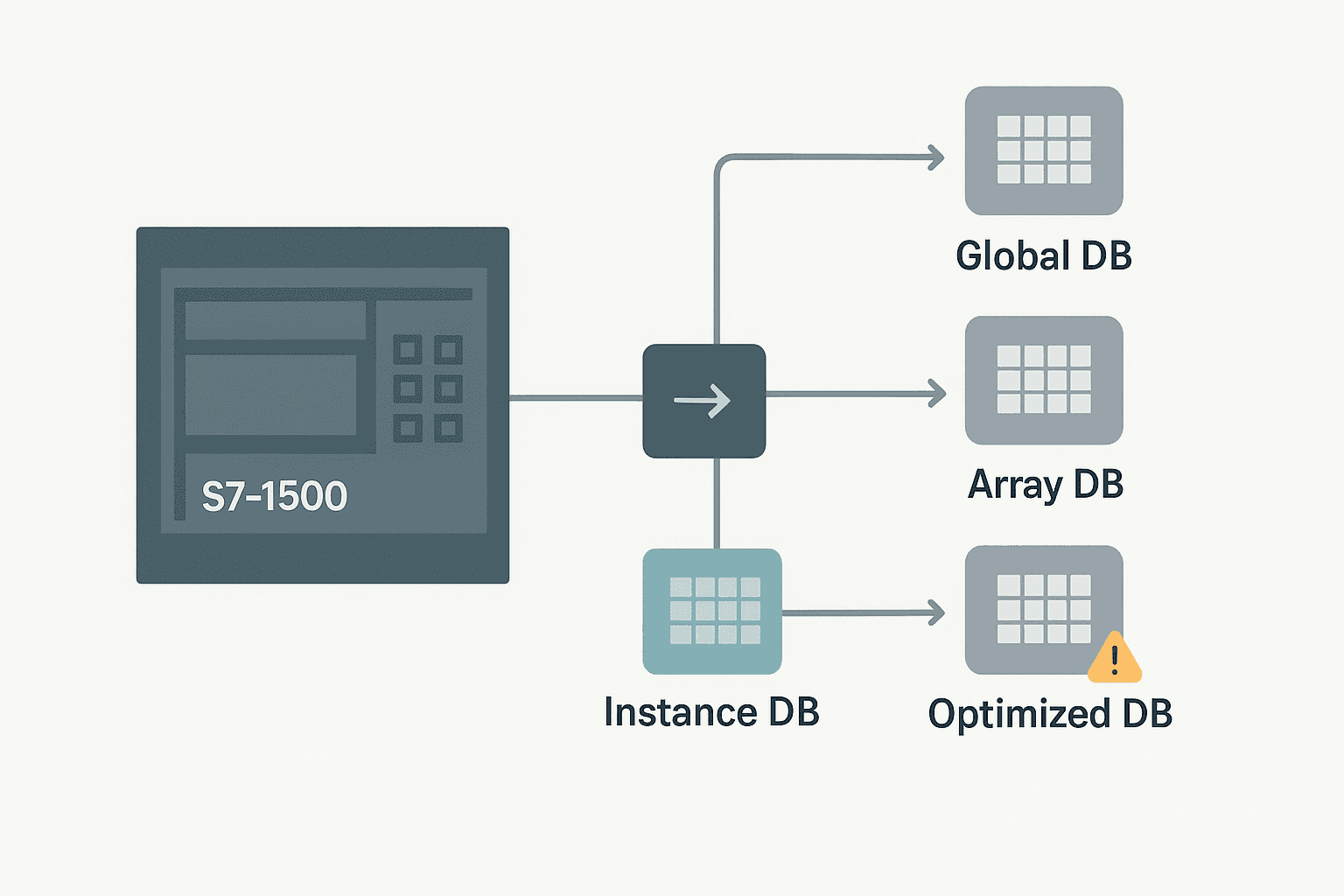
The Four TIA Portal Data Block Types
| DB Type | Created How | Backing FB | Fixed Absolute Address | Typical Use |
|---|---|---|---|---|
| Global DB | Insert > Data Block (not assigned) | None | Optional (non-optimized) | Shared data, HMI tags, inter-task comms |
| Instance DB | Auto-generated when FB is called | Yes, 1:1 | Optional (non-optimized) | Stores FB static variables |
| Multi-instance | Static var of type FB inside another FB | Yes, nested | No, always optimized | Reusing an FB multiple times inside one parent |
| Array DB | Insert > Data Block > Array DB | None | Optional | Large homogeneous datasets, recipe tables, log buffers |
Global Data Blocks
A global DB is just a structured chunk of memory with no function block behind it. You define the variables manually in the DB editor and any OB, FC, or FB in the project can read or write them. This makes them the go-to for HMI tag connections, inter-FC handshaking, and any data that more than one piece of code needs to own.
In practice I use global DBs for three things: machine setpoints the operator adjusts via HMI, status words I want to read across multiple program cycles, and any recipe data that needs to persist between batches. If it's data that belongs to the machine as a whole rather than one specific algorithm, a global DB is the right home.
DB1.DBW4. You must always use symbolic names. If you need to send a DB to a third-party device using absolute offsets, you have to turn off optimization for that specific DB in its properties. Doing it project-wide is rarely a good idea.Instance Data Blocks
Every time you call a function block, TIA Portal needs somewhere to store that FB's static variables between scans. That storage is the instance DB. When you drag an FB call into a network and assign an instance DB name, the IDE creates the DB automatically, mirroring the FB's variable interface. The instance DB is effectively the FB's memory.
One FB call gets one instance DB. If you call the same FB three times (say, a PID controller on three different loops), you get three separate instance DBs, one per call. Each holds its own accumulator, setpoint, error history and so on. That's the whole point: the FB code is shared, the data is not.
PID_TempLoop stores its output in PID_TempLoop_DB.Output, another FC can read that value for feedforward or monitoring. Just be careful about writing to an FB's static variables from outside code. It works, but it bypasses the FB's own logic and can cause confusing state issues.Multi-Instance Data Blocks
Multi-instance is a pattern, not a separate block type you insert from a menu. You declare a static variable inside an FB with the data type set to another FB, then call it as a nested block. All the nested FB's data lives inside the parent FB's single instance DB, neatly partitioned by the variable name.
Say you're writing a motor management FB that internally uses Siemens' IEC_TIMER for a run-up delay and a separate timer for a fault delay. Instead of creating two separate timer instance DBs, you declare both timers as static variables of type TON inside your FB. Their data lives in your FB's instance DB, not scattered across the project. Cleaner, easier to copy, and much easier to use in library code.
Array Data Blocks
Array DBs are a relatively recent addition, introduced properly in TIA Portal V14 for S7-1500. The entire DB is a single array of a uniform data type. You pick the element type (can be a UDT) and the size. The practical uses are recipe tables, data logging buffers, and lookup tables where you need to index into data with a variable offset.
The big advantage over a global DB with an array inside it is that you can resize an Array DB at runtime using VARIANT pointers and READ_DBL / WRITE_DBL instructions, and they work cleanly with the FieldRead and FieldWrite system functions. If you're building a data logger that stores 500 timestamped values and needs to hand them off to OPC UA, an Array DB is exactly the right tool.
Optimized Access: What Actually Changes
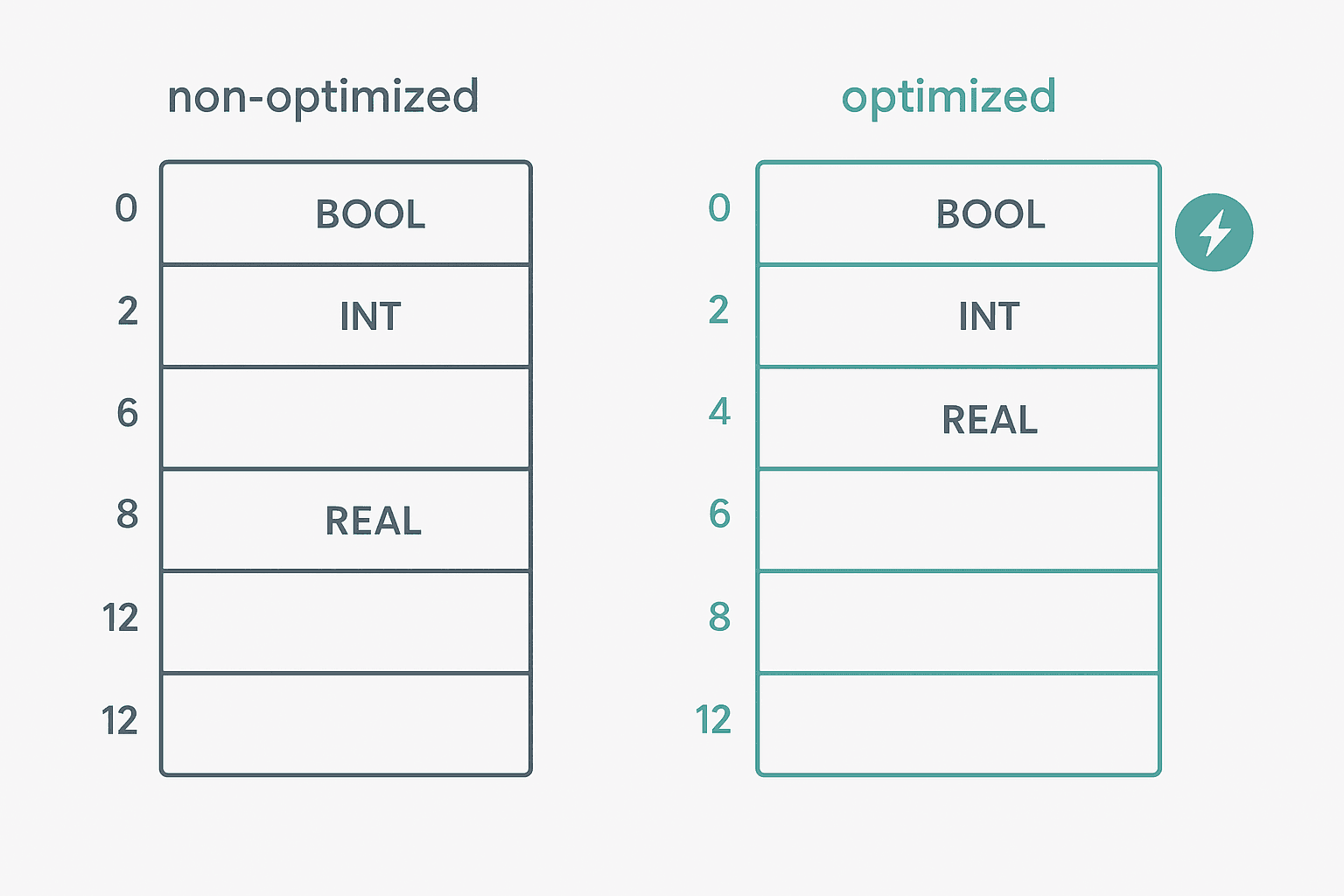
This is where engineers burn the most time. Optimized access is enabled by default on every new S7-1500 DB. When it's on, the CPU stores variables in a layout it decides, not the one you see in the editor. The benefits are real: faster read/write performance (the CPU can align 32-bit values on 32-bit boundaries without the byte-stuffing you'd get with classic S7 packed layout), no gaps to manually pad, and the compiler can reorder memory internally after a DB change without breaking your code.
What you lose: absolute addressing. You cannot say DB5.DBD12 anymore. Everything must be symbolic. That's usually fine, but it matters in three situations: sending raw DB bytes to a third-party Modbus or EtherNet/IP device, using PUT/GET instructions to a remote CPU (PUT/GET requires non-optimized access and you must also disable the 'Protection' setting in the CPU's properties), or migrating old S7-300/400 code that relied on absolute offsets.
Retain and Non-Retain Variables
Inside any DB you can mark individual variables as Retain. Retain variables survive a power cycle using battery-backed memory (on CPUs that have it) or the integrated load memory. Non-retain variables reset to their initial values on every power-up. On the S7-1500, the CPU properties let you set the retain behaviour per memory area, but the DB-level attribute takes priority for individual tags.
A common mistake is making every variable in a global DB Retain by accident. If the DB is large and you're on an older 1511 with limited retentive memory (768 kB on the 1511-1 PN), you'll hit a compile error telling you you've exceeded retentive memory. Audit your DBs periodically. Only runtime counters, setpoints, and recipe data genuinely need to survive a power cycle.
Practical Rules I Actually Follow
- Keep optimized access on for all internal DBs. Turn it off only for the specific DB that talks to a third-party device or needs PUT/GET access.
- Name instance DBs to match their FB call, not just the FB type.
FB_Motor_DB_Conveyor1beatsMotor_DB_1every time you come back six months later. - Use UDTs for any structure you repeat. A
UDT_MotorStatusused in a global DB and an instance DB keeps you from maintaining the same layout in two places. - Put HMI-facing tags in a dedicated global DB, not scattered across instance DBs. It makes HMI tag binding much faster and keeps your historian query simple.
- Use Array DBs for any dataset larger than about 20 elements where you'll index with a variable. A global DB with a big array works, but Array DBs are cleaner and play nicer with VARIANT-based system FBs.
- Check the 'Set start value as actual value' button after commissioning setpoints. It bakes the current actual values into the DB's initial values, so a download won't wipe your tuned parameters.
A Structured Text Example: Reading an Array DB
Here's a simple SCL snippet showing how you'd index into an Array DB to fetch a recipe setpoint based on the active recipe number. RecipeDB is an Array DB with elements of type UDT_Recipe.
// FC: Apply_Recipe
// Reads setpoint data from Array DB based on HMI-selected recipe index
// RecipeDB is an Array DB [0..19] of UDT_Recipe
// UDT_Recipe contains: FillVolume_mL (REAL), FillSpeed_pct (INT), MixTime_s (INT)

VAR_INPUT
    RecipeIndex : INT;   // 0 to 19, set by HMI
END_VAR

VAR_OUTPUT
    FillVolume  : REAL;
    FillSpeed   : INT;
    MixTime     : INT;
    IndexError  : BOOL;
END_VAR

IF RecipeIndex >= 0 AND RecipeIndex <= 19 THEN
    FillVolume  := RecipeDB[RecipeIndex].FillVolume_mL;
    FillSpeed   := RecipeDB[RecipeIndex].FillSpeed_pct;
    MixTime     := RecipeDB[RecipeIndex].MixTime_s;
    IndexError  := FALSE;
ELSE
    // Clamp to safe defaults and flag the bad index
    FillVolume  := 0.0;
    FillSpeed   := 0;
    MixTime     := 0;
    IndexError  := TRUE;
END_IF;DBName[index].MemberName directly. No pointer arithmetic, no READ_DBL needed for simple indexed access inside the same CPU. READ_DBL and WRITE_DBL are for reading DB data from outside a task context or across CPUs.Common Mistakes and How to Avoid Them
- Downloading a DB and wiping actual values: TIA Portal will warn you if a DB download overwrites actual values that differ from initial values. Always accept the warning consciously. On a live machine, use 'Download without reinitialisation' where the option exists, or update initial values first.
- Confusing FB interface sections: Variables in the
STATsection of an FB interface are stored in the instance DB. Variables inTEMPare stack variables and are NOT stored anywhere. If you need a value to survive to the next scan, it must beSTAT, notTEMP. - Mixing optimized and non-optimized DBs in one project: It works, but it's confusing. Use a naming convention (e.g.
GDB_prefix for non-optimized global DBs used for Modbus) so the difference is obvious. - Not versioning DBs when you change a UDT: Changing a UDT updates every DB that uses it, which forces a re-download of those DBs. On a live system that can disrupt process data. Plan UDT changes for a scheduled outage.
If you're also setting up PROFINET devices that communicate with your S7-1500, non-optimized DBs are sometimes involved in the PUT/GET data exchange path. See our post on PROFINET Communication Loss: How to Diagnose It for the networking side of that picture. And if the DB is feeding an HMI, the HMI Programming in TIA Portal post covers how to bind DB tags to WinCC screens efficiently.
Quick Reference: Which DB Do You Need?
| Situation | DB Type to Use |
|---|---|
| Shared machine setpoints visible on HMI | Global DB, optimized |
| Third-party Modbus RTU/TCP data exchange | Global DB, non-optimized (fixed offsets) |
| FB timer / counter internal state | Multi-instance (static var inside FB) |
| Calling the same FB for 8 motors | One instance DB per FB call |
| 50-row recipe table indexed by recipe number | Array DB with UDT element type |
| Data logging buffer, ring-buffer pattern | Array DB |
| PUT/GET to another S7 CPU | Global DB, non-optimized, protection off |
Frequently asked questions
What is the difference between a global DB and an instance DB in TIA Portal?
Can I turn off optimized access for just one data block in TIA Portal?
Why do my DB variables reset to initial values after a download in TIA Portal?
What is a multi-instance DB and when should I use it?
What is an Array DB in TIA Portal and how does it differ from a DB with an array inside it?
How much retentive memory does an S7-1500 CPU have, and what counts against it?
Now build it
You have just read about TON. Reading a rung and making one behave are different skills, and the second one is the job.
Flasher
Intermediateabout 15 minTwo timers chained in a loop make a lamp blink: the classic two-TON flasher used for warning beacons everywhere. Your first taste of timers driving each other.
Build this rungFree, no signup, runs in your browser. See all 16 exercises.
Was this helpful?