SCADA Network Design: Topologies, Protocols and Security
Get the SCADA network wrong at the design stage and you spend years fighting communication dropouts, rogue IT updates rebooting your historian, and audit findings that kill capital projects. Get it right and the whole system runs quietly in the background while you focus on the process. This post works through the real decisions: which topology fits which site, which protocols belong at which layer, and what security measures are worth doing versus what is just checkbox theatre.
SCADA Network Design Starts With the Purdue Model
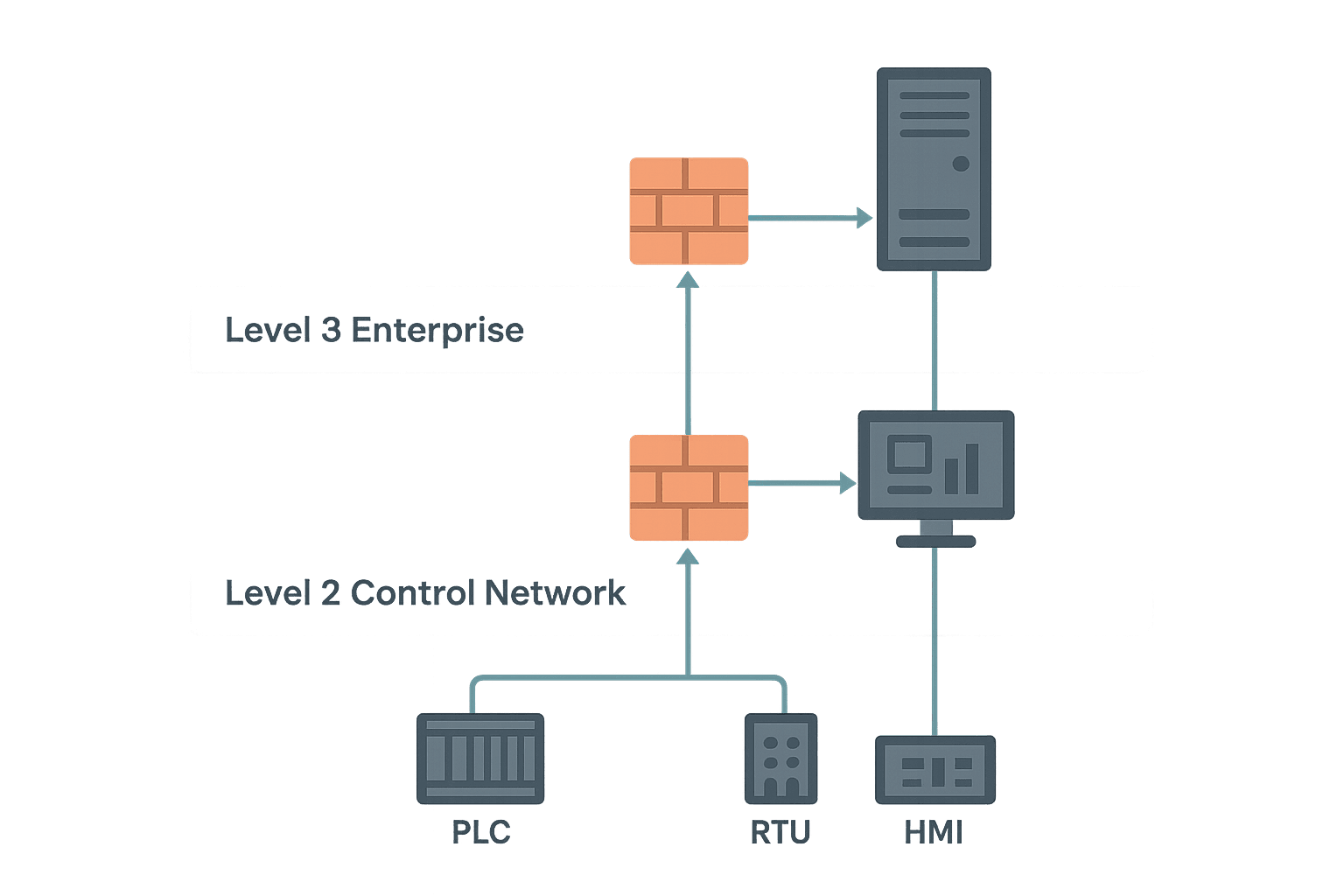
Most industrial sites still organise their networks around the Purdue Enterprise Reference Architecture, even if they have never named it that. The practical version has three zones that matter to a controls engineer.
| Purdue Level | Typical Devices | Dominant Protocols |
|---|---|---|
| Level 0-1: Field | PLCs, RTUs, drives, sensors, I/O modules | Modbus RTU, PROFIBUS, EtherCAT, IO-Link, 4-20 mA |
| Level 2: Control | SCADA servers, HMIs, historians, engineering workstations | Modbus TCP, PROFINET, EtherNet/IP, OPC DA/UA |
| Level 3: Operations/Enterprise | MES, ERP, remote access, cloud historians | OPC UA, REST/MQTT, HTTPS |
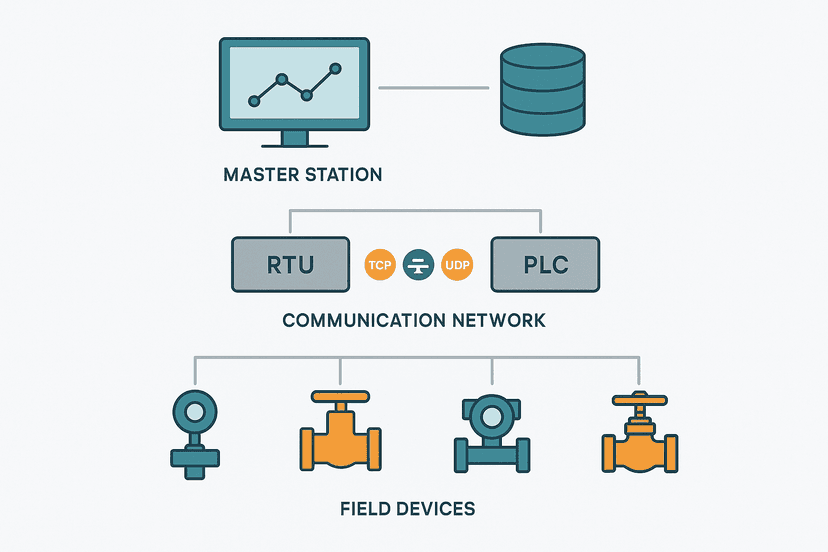
The key rule is that data should flow upward by request or subscription, and control commands should never originate from Level 3 without deliberate, audited pathways. That single principle drives most of the topology and firewall choices below. For a deeper look at how these layers relate to RTUs and master stations, see SCADA System Architecture: Layers, RTUs and the Master Station.
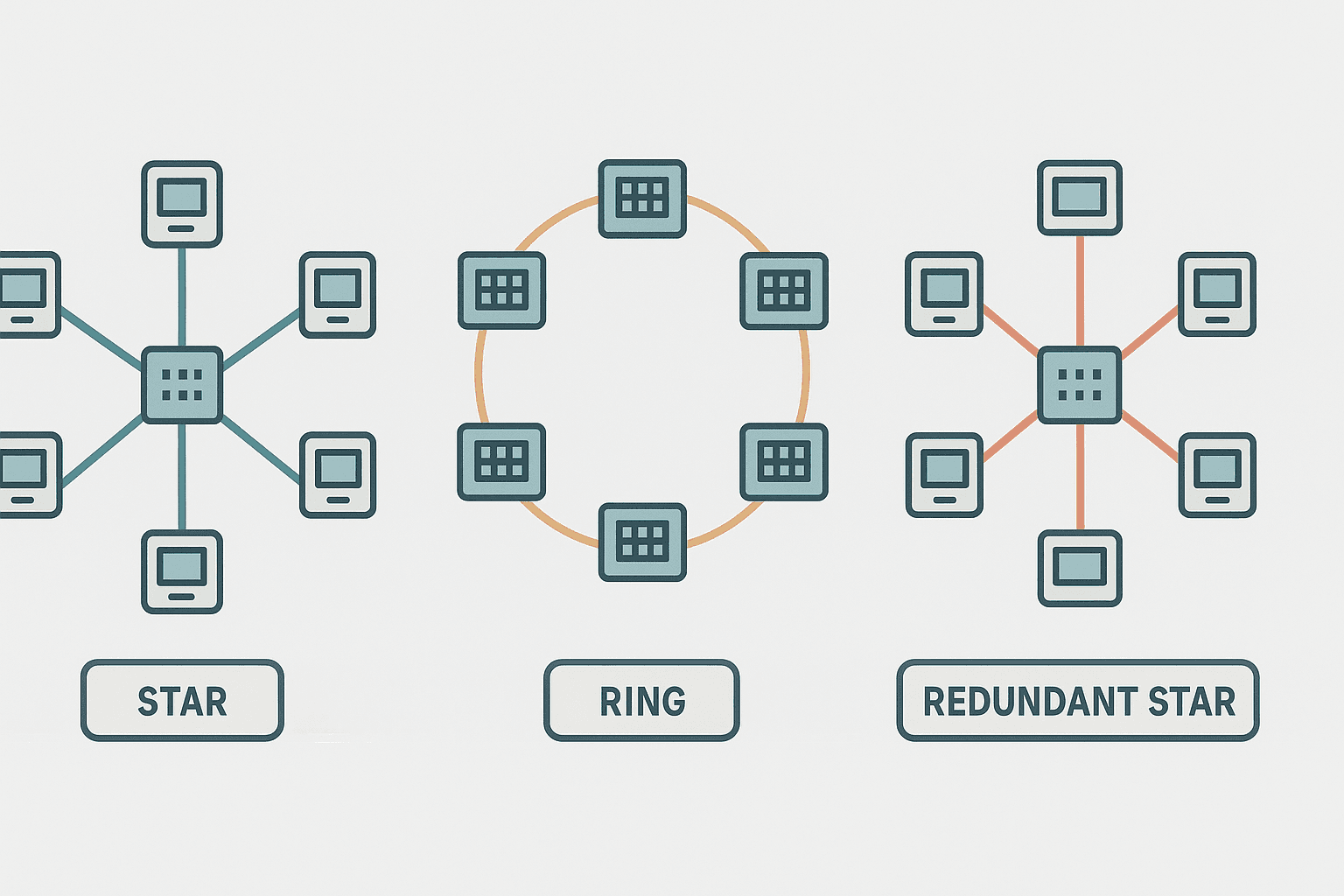
SCADA Network Topologies: Ring, Star and Redundant Star
Star (Most Common for Control-Layer LANs)
A managed Layer 2 switch sits at the centre. Every PLC, HMI and SCADA server connects back to it. Simple to troubleshoot, easy to add devices, and the failure domain of any single link is just that one device. The weakness is the switch itself: lose it and the whole control network goes dark. For any site where downtime costs real money, add a redundant switch pair with RSTP (Rapid Spanning Tree Protocol) or use a vendor-specific ring protocol.
Ring Topology (Good for Long Linear Sites)
Pipelines, rail systems and water mains often have RTUs strung across tens of kilometres. A fibre ring lets you lose one span and still communicate with every node via the other direction. PROFINET uses Media Redundancy Protocol (MRP) for ring recovery in under 200 ms. EtherNet/IP uses Device Level Ring (DLR), which recovers in under 3 ms on a properly configured ring. If you are using standard managed switches, RSTP ring recovery is typically 1 to 5 seconds, which is acceptable for SCADA polling but not for motion-critical control.
Redundant Star (Best for High-Availability Control Rooms)
Two core switches connected by a trunk link, with every critical device dual-homed to both. RSTP blocks the redundant path until the active one fails, then switches over in under a second. This is the standard layout for a water treatment plant SCADA room or a substation automation network. Cost is higher but predictable: you are buying a second switch and extra SFP modules, not a custom topology.
Protocol Selection at Each Layer
Field Layer: Serial Still Exists
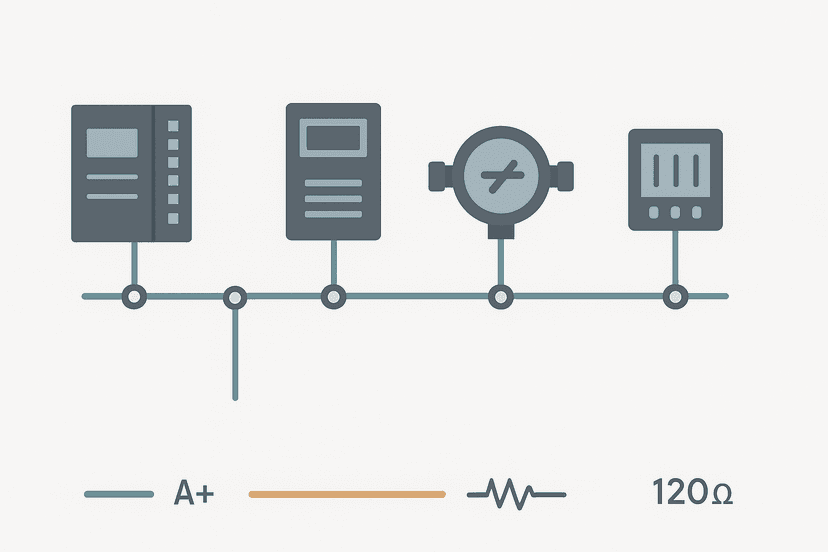
Modbus RTU over RS-485 is alive and well on legacy RTUs, flow computers and analysers that will not be replaced for another decade. A 9600 baud, 32-node RS-485 bus with 1.2 km of cable is slow by modern standards, but it works and the installed base is enormous. If you are connecting these devices to a modern SCADA system, a serial-to-Ethernet gateway (like a Moxa NPort or HMS Anybus) converts the RTU traffic to Modbus TCP without touching the field device firmware. Full protocol details are in Modbus RTU Protocol Explained: Frames, Timing and Wiring.
Control Layer: OPC UA Is the Right Answer Now
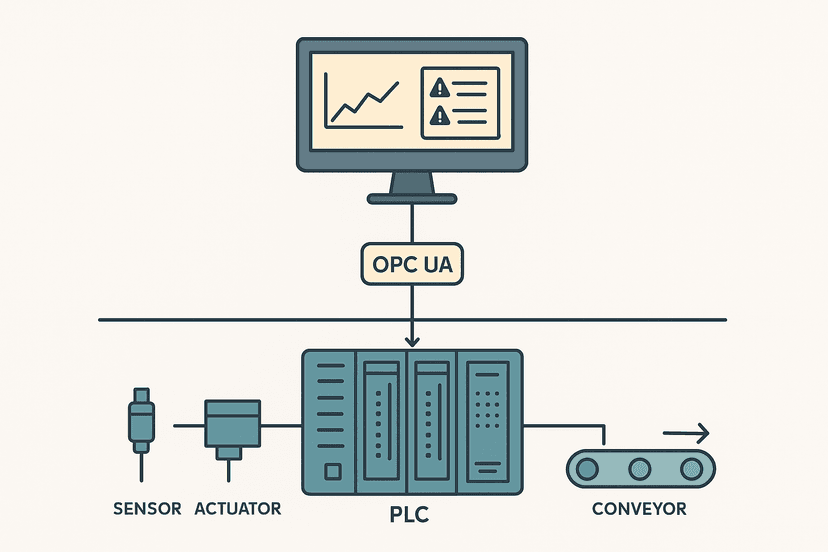
Ten years ago the control layer ran OPC DA (DCOM-based, Windows-only, a security nightmare). Today OPC UA is the correct choice for PLC-to-SCADA and PLC-to-historian communication. It gives you encrypted transport (TLS 1.2 or 1.3), certificate-based authentication, a structured information model, and it runs on Linux, Windows and embedded controllers. Siemens S7-1500, Rockwell Logix 5000 (with the OPC UA server option), Beckhoff TwinCAT 3 and Omron NJ/NX all have native OPC UA servers. You configure a node ID and expose the tags you want; the SCADA client subscribes with a publish interval you set, typically 500 ms to 1 second for process values.
Enterprise Layer: MQTT for Cloud and MES
MQTT with a broker (Mosquitto, HiveMQ, AWS IoT Core) suits high-latency, intermittent WAN links well because devices publish only on change rather than polling continuously. The payload format is usually JSON or Sparkplug B (which adds structured tag metadata). Keep MQTT on the enterprise layer or a DMZ. Do not run an MQTT broker on the same VLAN as your PLCs; the broker is internet-facing infrastructure and belongs in a different trust zone.
SCADA Cybersecurity: What Actually Matters
ICS cybersecurity has become a compliance industry, which means there is a lot of expensive theatre alongside the genuinely useful controls. Here is what makes a real difference.
Network Segmentation and the DMZ
The single most impactful thing you can do is put a firewall between the control network and everything else. A purpose-built industrial firewall (Fortinet FortiGate, Cisco Firepower, Palo Alto, or even a pfSense box if the site is low-risk) sits between Level 2 and Level 3. A DMZ (demilitarised zone) between the two firewalls hosts the historian and the OPC UA proxy, so the corporate network never has a direct route into the PLC subnet. This is not a new idea but it is still missing from a surprising number of sites I have walked into.
Patch Management Without Killing Your Process
Windows-based SCADA servers are a problem because OS patches that IT wants applied weekly can destabilise certified SCADA software. The right answer is a documented change control process: patches are tested on a staging server first, applied during a planned maintenance window, and the SCADA vendor confirms compatibility. Automating Windows Update on a live historian is how you end up with an unplanned outage at 2 AM. Some sites run WSUS (Windows Server Update Services) internally so patches go through an approval queue. That is worth the overhead.
Remote Access: VPN, Not Open RDP
Remote Desktop Protocol exposed directly to the internet has been the entry point for most publicised ICS incidents in the last decade. Use a VPN with multi-factor authentication (MFA) as the gateway, then RDP or vendor remote-access tools inside that tunnel. Options like Secomea, Tosibox, or Ewon Flexy are purpose-built for industrial remote access and include per-device access control. If the site already has a corporate VPN, confirm it terminates in the DMZ, not directly on the control VLAN.
Default Credentials and Unnecessary Services
Change the default password on every managed switch, every PLC web server, every HMI, and every router on day one. Disable services you are not using: Telnet, FTP, HTTP (use HTTPS), SNMP v1/v2 (use v3). On Cisco IOS switches this takes ten minutes with a checklist. On Siemens SCALANCE switches it is in the web UI under Security. There is no excuse for a managed switch still sitting on 'admin/admin' in a live plant.
Asset Inventory: You Cannot Protect What You Cannot See
Passive network monitoring tools like Claroty, Nozomi Networks or Dragos build a device inventory by watching traffic without sending any probes onto the control network. On a brownfield site, running even a 30-day trial often reveals devices nobody knew were still connected. An accurate asset list is the foundation of every other security control. Without it, you are guessing.
IP Address Planning for SCADA Networks
Use private RFC 1918 space and subnet deliberately. A common scheme for a mid-size plant:
- 10.10.1.0/24: Control network (PLCs, RTUs, drives with Ethernet)
- 10.10.2.0/24: HMIs and engineering workstations
- 10.10.3.0/24: SCADA servers and historians (DMZ side of the inner firewall)
- 10.10.4.0/24: Cameras, building systems and other low-trust devices
- 10.10.10.0/24: Management VLAN for switch out-of-band access
Assign PLCs static IPs. DHCP on the control network creates a support headache: an IP can change after a reboot and break every tag reference in the SCADA server. Document the IP plan in the same location as the panel drawings. Use the /tools/ip-subnet-calculator to check your subnet masks and host ranges before you commission.
Fibre vs Copper: Which Cable for Which Run
Cat6 UTP is fine for runs under 90 metres inside a building with low electrical noise. The moment you are running cable between buildings, near large motors or VFDs, or across distances over 90 metres, use fibre. Single-mode fibre for runs over 300 metres, multi-mode (OM3 or OM4) for shorter indoor runs. Fibre eliminates ground loop problems entirely, which is a significant advantage in plants where the potential difference between buildings can be tens of volts. The SFP modules in modern managed switches make fibre uplinks straightforward and relatively cheap.
Switch Selection: Managed is Non-Negotiable
Unmanaged switches have no VLAN support, no RSTP, no port mirroring for diagnostics, and no SNMP for monitoring. They are fine for a single machine cell with two devices and no redundancy requirement. For any SCADA network, specify managed switches rated for the operating temperature of the cabinet. Popular industrial managed switch families include Siemens SCALANCE XC series, Cisco IE3300/IE3400, Hirschmann RS20/RS30, and Phoenix Contact FL SWITCH. Minimum features to specify: RSTP or MRP, VLAN 802.1Q, IGMP snooping (essential if you run any multicast protocols like PROFINET), port mirroring, and SNMP v3.
Putting It Together: A Realistic Mid-Size Site Design
A water treatment plant with 12 PLCs, 3 remote pump stations, a SCADA server, a historian and corporate WAN connection might look like this: field devices on Modbus RTU converted to Modbus TCP at each RTU panel, connecting back over fibre to a control-room managed switch via a ring topology. The SCADA server and historian sit on a separate VLAN, connected through a DMZ firewall pair. Remote pump stations connect via cellular VPN routers (Ewon Flexy or Sierra Wireless RV50) with firewall rules that allow only OPC UA or Modbus TCP from those IP addresses inbound to the control network. Corporate WAN access goes through the outer firewall, terminates in the DMZ, and requires MFA before an engineer can reach the engineering workstation via RDP.
That design handles the majority of real sites. It is not the most sophisticated architecture possible, but it is the one that actually gets built, documented and maintained by a two-person controls team. Complexity is the enemy of security in practice.
Frequently asked questions
What is the best network topology for a SCADA system?
Should SCADA systems use OPC UA or Modbus TCP?
How do you isolate a SCADA network from the corporate IT network?
What cybersecurity standards apply to SCADA network design?
When should I use fibre instead of copper Ethernet in a SCADA network?
Do I need managed switches for a SCADA network?
Learn this by building it
There is a PLC in this site. It runs a real scan engine, checks your logic against the same tests a working machine would fail, and needs no download and no account.
Open the exercisesFree, no signup, runs in your browser. See all 16 exercises.
Was this helpful?