SCADA vs PLC: How They Work Together on the Plant Floor
If you ask a controls engineer what the difference is between a SCADA system and a PLC, you will usually get one of two answers: a very good one or a very confused one. The confusion is understandable. Both deal with your process. Both show up on the same network drawing. And vendors love to blur the line by packaging HMI, SCADA, and PLC software in the same suite. But the two things are genuinely different, and getting that wrong costs you money, either in over-engineered SCADA licences for a job a PLC handles fine on its own, or in a PLC trying to do historian and alarm management work it was never designed for.
The Core Difference: Control vs Supervision
A PLC (Programmable Logic Controller) is a real-time control device. It reads physical inputs, executes logic, and writes physical outputs, all in a deterministic scan cycle that runs whether your network is up or not, whether the SCADA server is running or not, and whether anyone is watching or not. That is the whole point. The PLC owns the process.
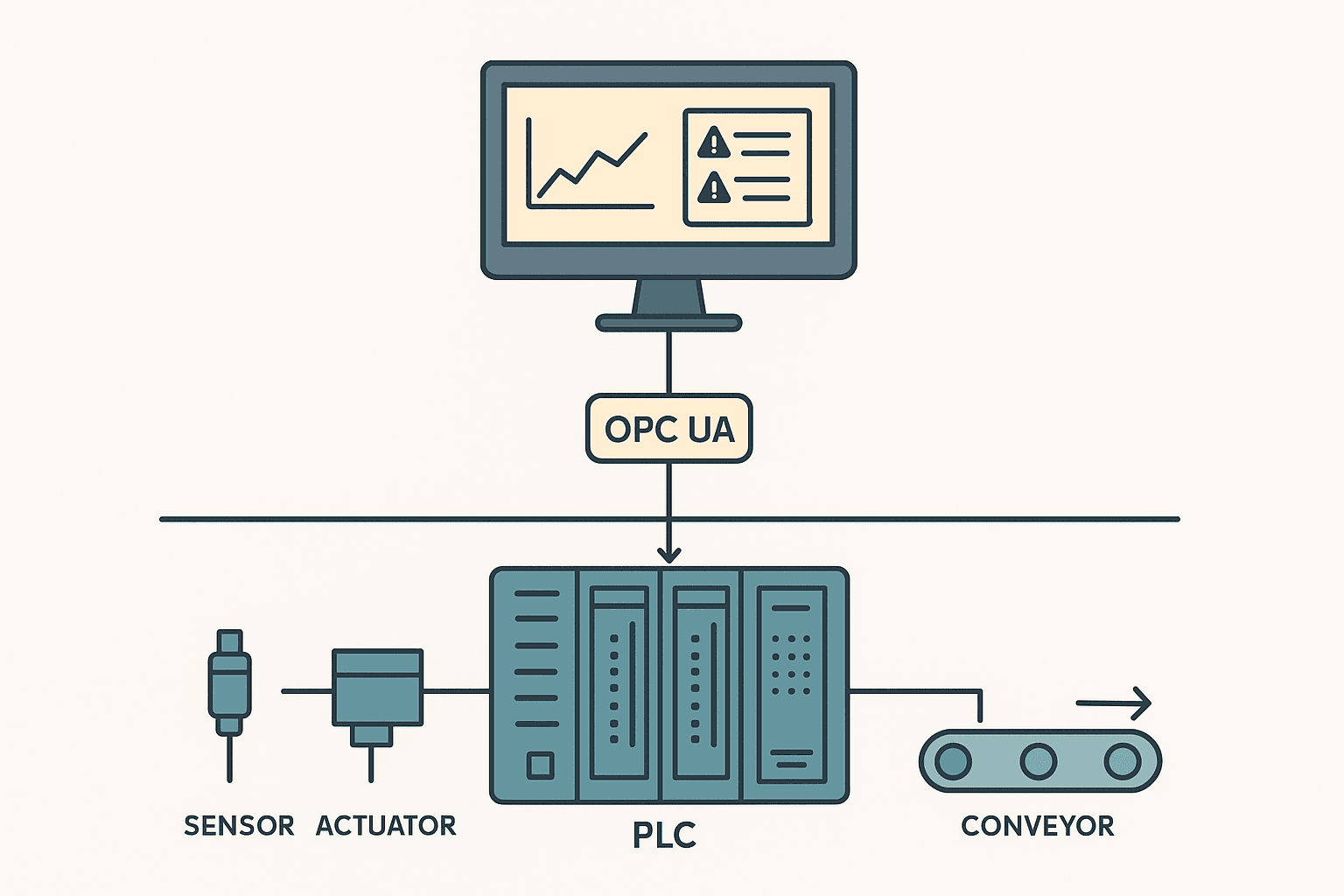
SCADA (Supervisory Control and Data Acquisition) is a software system running on a server or PC. It does not directly control field devices. It talks to PLCs (and RTUs, drives, analyzers) over a network, reads their data, displays it to operators, logs it to a historian, and sends setpoints or commands back down. SCADA supervises. The PLC executes.
What a PLC Actually Does
Every PLC runs a scan cycle: read inputs, execute program, write outputs, repeat. On a CompactLogix L33ER that cycle might run in 5 to 10 ms. On a safety PLC it might be 10 to 20 ms. The point is that it is fast, predictable, and continuous. Ladder logic, structured text, function block diagrams, all of the IEC 61131-3 languages run inside that cycle. See the 5 Types of PLC Programming Languages Explained post for a full breakdown.
The PLC also manages local I/O directly: 24 VDC digital inputs from limit switches and pushbuttons, analog inputs from 4-20 mA transmitters, digital outputs to solenoids and contactors, analog outputs to VFDs. All of this happens without any network dependency. That independence is why PLCs are trusted for safety-critical loops.
PLC memory is structured and deterministic. Tags live at fixed addresses (or named addresses in modern platforms). The program reads and writes them in a defined order every scan. There is no garbage collection, no background thread stealing CPU time. What you program is what runs.
What SCADA Actually Does
SCADA software (Ignition by Inductive Automation, Wonderware AVEVA System Platform, Siemens WinCC, iFIX, Citect) runs on standard server or workstation hardware. Its core jobs are:
- Data acquisition: polling PLCs and RTUs over OPC UA, Modbus TCP, EtherNet/IP, or PROFINET at configured rates, typically 500 ms to 5 seconds for display, faster for historian.
- Visualization: building mimics, trends, and dashboards that operators use to understand the process at a glance.
- Alarm management: detecting limit violations, logging acknowledgements, tracking alarm floods. This is a discipline on its own.
- Historian: storing tag values at configured deadband or time intervals, sometimes millions of tags at sub-second resolution.
- Reporting: shift summaries, OEE numbers, batch records, compliance exports.
- Remote setpoint and command delivery: writing values back to PLC tags over the same protocol connection, within whatever security rules the project sets.
SCADA does not care about scan cycles. It is event-driven and network-dependent. If the switch between the SCADA server and the PLC loses a packet, the PLC keeps running. The SCADA display might freeze or show stale data for a few seconds, but nothing in the field changes.
How They Communicate on the Plant Floor
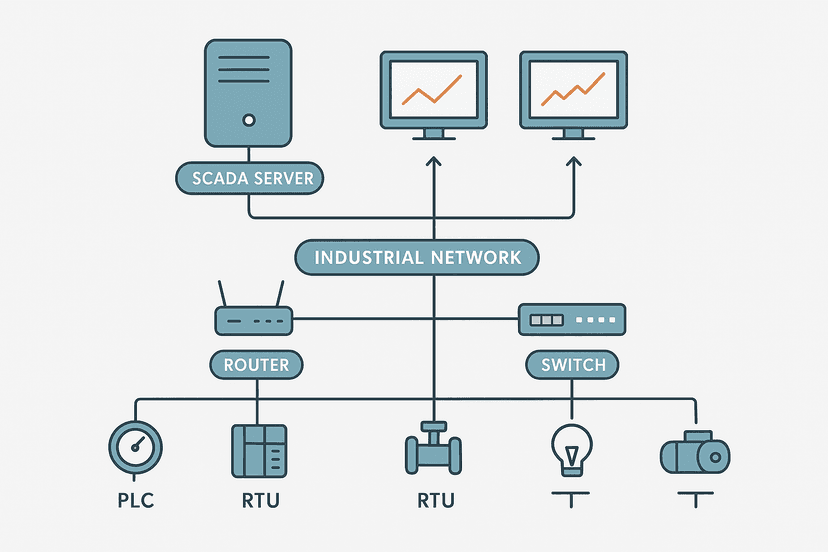
The typical architecture looks like this: PLCs sit on a control network (sometimes a dedicated VLAN), SCADA servers sit on an operations network, and an OPC UA server or a protocol driver bridges them. In modern projects, OPC UA is the preferred choice because it is platform-agnostic, supports structured data types, and has built-in security. Older sites still run OPC DA (Classic) or direct driver connections like Rockwell's RSLinx or Siemens' S7 driver.
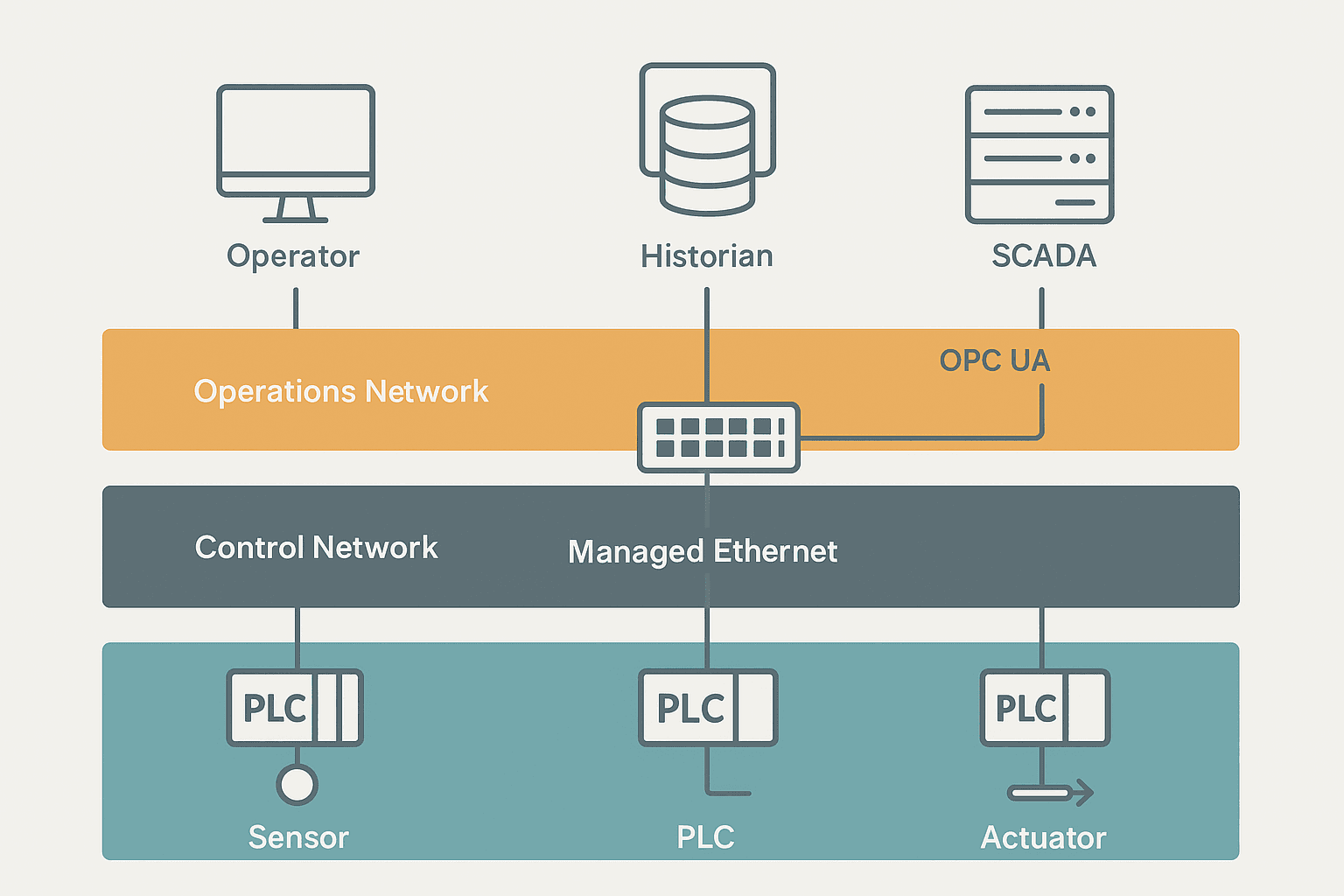
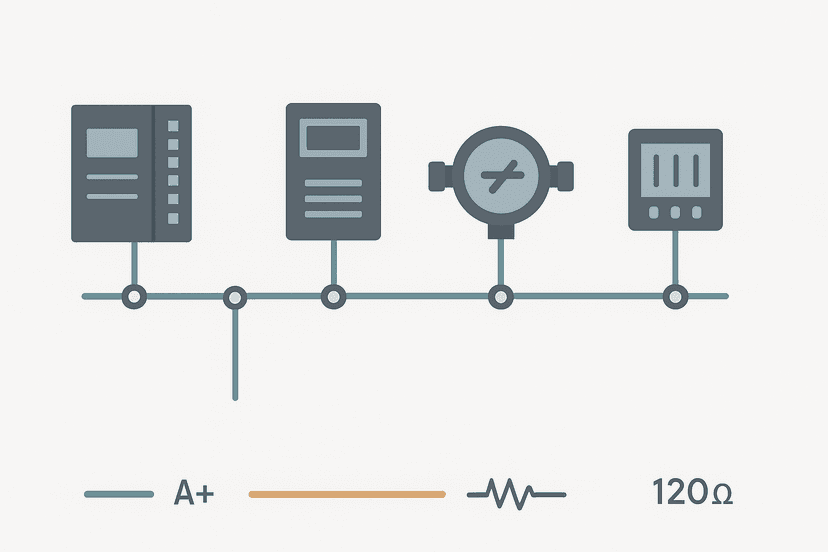
For sites using Modbus, the SCADA driver polls specific register addresses in each PLC at a configured rate. If you want to understand exactly how that frame exchange works, the Modbus RTU Protocol Explained post covers the frame structure in detail. On EtherNet/IP sites with Logix PLCs, the SCADA driver uses CIP (Common Industrial Protocol) to read tag names directly, which is much cleaner than managing register maps.
Where the Boundary Sits: What Belongs in the PLC vs SCADA
This is where engineers make expensive mistakes. The rule of thumb is simple: anything that needs to happen even when the network is down belongs in the PLC. Everything that only needs to happen when an operator is watching, or that needs data from multiple PLCs, belongs in SCADA.
| Function | Lives in PLC | Lives in SCADA |
|---|---|---|
| Motor start/stop interlocks | Yes, always | Command only (operator button) |
| PID control loop | Yes, always | Setpoint display and adjustment |
| Sequence of operations | Yes, always | Step visualization |
| Alarm detection (limit exceeded) | Sometimes (hardcoded faults) | Usually (configurable limits) |
| Alarm acknowledgement logging | No | Yes |
| Historical trending | No (ring buffer at most) | Yes |
| Multi-site aggregation | No | Yes |
| Recipe management | Stores active recipe | Manages recipe library |
| OEE / production reporting | Counts parts, run time | Calculates and displays |
| Emergency stop logic | Yes, always | Never |
SCADA vs PLC: A Direct Comparison
| Characteristic | PLC | SCADA |
|---|---|---|
| Hardware or software | Dedicated hardware (also software PLCs like TwinCAT) | Software on server/PC |
| Real-time control | Yes, deterministic scan cycle | No, event-driven |
| Field I/O connection | Direct (digital, analog, fieldbus) | Via PLC or RTU only |
| Network dependency | None for core control | High, needs comms to see data |
| Redundancy | Redundant CPU options | Hot-standby server options |
| Typical update rate | 1 to 50 ms scan | 500 ms to 5 s poll |
| Data storage | Short-term (ring buffers, UDTs) | Long-term historian (years) |
| Multi-site view | No, single plant/cell | Yes, across sites |
| Licensing model | One-time hardware + software | Tag count or server licence |
A Real-World Example: A Water Treatment Plant
Consider a municipal water treatment plant with five pump stations spread across 20 km. Each station has a CompactLogix PLC. At each station, the PLC reads level sensors, controls submersible pump VFDs via EtherNet/IP, manages a local HMI touchscreen, and handles all interlocks locally. If a level sensor goes high-high, the PLC opens a bypass valve and sounds a local alarm horn without waiting for any network response.
The SCADA system (in this case Ignition running on a server at the main treatment plant) polls all five PLCs over a fibre WAN every 1 second using OPC UA. The control room operator sees all five stations on one mimic. She can see flow rates, tank levels, pump run hours, and active alarms. She can adjust pump setpoints from the SCADA screen, which writes a setpoint tag in the relevant PLC. The PLC then acts on that new setpoint in its next scan.
If the WAN link to station 3 drops, the SCADA shows a comms alarm and that station's data goes stale. But station 3's PLC keeps running exactly as programmed. The pumps keep running, interlocks keep working, and the local HMI still shows live data. That is the right design. You want the process to be self-sufficient at the PLC level.
Where SCADA and HMI Overlap (and How They Differ)
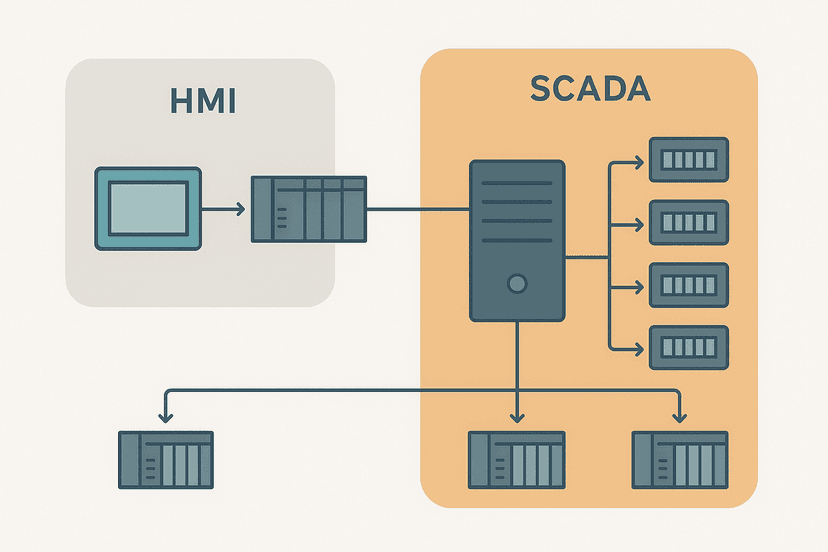
It is worth separating SCADA from local HMI here, because they are often confused too. A panel-mounted HMI (a 10-inch touchscreen running TIA Portal's WinCC Basic or FactoryTalk View ME) is a local operator interface for one machine or one PLC. It connects directly to the PLC, usually over Ethernet or PROFINET, and only shows data for that unit. It has no historian, no multi-site view, and no alarm acknowledgement logging in the enterprise sense.
SCADA sits above that layer. It aggregates data from multiple PLCs and multiple local HMIs, provides plant-wide or enterprise-wide visibility, and feeds the historian and reporting tools. If you want a deeper breakdown of the HMI vs SCADA distinction, the SCADA vs HMI: What Actually Differs and Why It Matters post covers it specifically.
Common Mistakes Engineers Make
- Putting control logic in SCADA scripts. Some SCADA platforms let you write scripts that send commands based on conditions. This is tempting but dangerous. If the SCADA server is rebooting during a shift change, that logic does not run. Keep control in the PLC.
- Relying on SCADA for alarming without PLC-side limits. If your only high-temperature alarm is a SCADA limit check on a polled value at 2-second intervals, you could miss a fast excursion. Critical alarms should also be latched in the PLC.
- Polling too fast and overloading the PLC comms buffer. Requesting 5000 tags every 100 ms from a MicroLogix 1100 will hurt scan time. Match your poll rate to what the PLC can handle. Most modern Logix or S7-1500 PLCs handle it fine, but older hardware does not.
- Under-specifying the SCADA server. A historian logging 10,000 tags at 1-second resolution generates a lot of data. Cheap hardware leads to slow trending and missed samples.
- Skipping network segmentation. SCADA servers on the same flat network as field PLCs is a security and reliability risk. Use managed switches, VLANs, and a DMZ between operations and business networks.
Do You Always Need Both?
No. A single machine with one PLC and a panel-mount HMI does not need SCADA. A small batch reactor with a CompactLogix and a PanelView Plus 7 is a complete, functional system. You add SCADA when you need multi-machine or multi-site aggregation, long-term data storage, centralised alarm management, or enterprise reporting. If none of those apply, SCADA is overhead.
Conversely, some small remote sites (a pump station, a tank farm) use an RTU instead of a full PLC, and SCADA talks directly to the RTU over cellular or radio. The RTU does basic local control, SCADA does the rest. That is a valid architecture too, though for anything with complex interlocks or sequences, a proper PLC is the right tool.
Frequently asked questions
Can SCADA control a machine without a PLC?
What protocol does SCADA use to communicate with PLCs?
Where does alarm management live: in the PLC or in SCADA?
What happens to the PLC if SCADA goes offline?
Is OPC UA replacing all other SCADA-to-PLC protocols?
How is SCADA different from a DCS?
Learn this by building it
There is a PLC in this site. It runs a real scan engine, checks your logic against the same tests a working machine would fail, and needs no download and no account.
Open the exercisesFree, no signup, runs in your browser. See all 16 exercises.
Was this helpful?