Structured Text in TIA Portal: A Practical Guide

Ladder logic is fine for simple interlocks, but the moment you need a real calculation, a loop, or a state machine with ten states, ladder turns into a wall of rungs that nobody wants to debug at 2 a.m. That is exactly where Structured Text (ST), called SCL in TIA Portal, earns its place. Siemens has supported SCL since the S7-300 days, and in TIA Portal V14 onward it is a first-class language you can mix freely with ladder, FBD and SFC inside the same project.
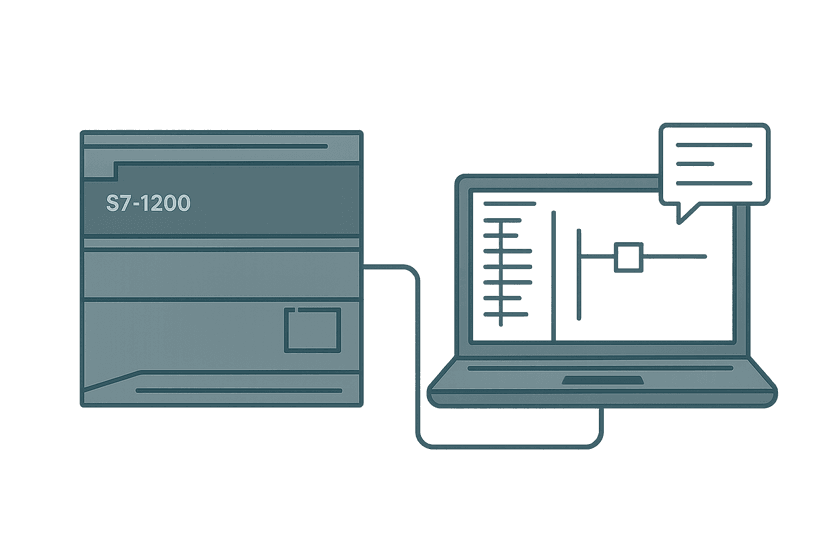
This guide focuses on the S7-1200 and S7-1500 in TIA Portal V18/V19. Everything here compiles and runs on real hardware. If you have already built a first project (see S7-1200 First Program in TIA Portal: Step by Step), SCL is the natural next step.
SCL vs Ladder: When to Pick Which
Neither language is universally better. Here is the honest split based on what you actually spend time programming in the field:
| Task | Better language | Why |
|---|---|---|
| Simple on/off interlock | Ladder | One rung, instantly readable by any tech |
| Analog scaling / math | SCL | One line vs a chain of CALCULATE blocks |
| FOR / WHILE loop over an array | SCL | Ladder has no native loop construct |
| State machine (10+ states) | SCL / SFC | CASE statement beats 40 rungs of compare |
| PID or custom control algorithm | SCL | Floating-point math reads naturally |
| Fault flag bit-packing | SCL | Bitwise operators are readable; ladder is not |
| Existing team familiar with ladder | Ladder | Readability by the maintenance team matters |
Where to Create an SCL Block in TIA Portal
You can write SCL in any Organisation Block (OB), Function (FC) or Function Block (FB). The language is set at block creation time and cannot be changed afterward without deleting the block. To create one:
- In the Project tree, expand your PLC and open Program blocks.
- Click Add new block.
- Choose FC or FB, give it a name, and select SCL from the language dropdown.
- Click OK. The editor opens with an empty code region between the
BEGINandEND_FUNCTIONmarkers.
SCL Syntax You Need to Know
Basic rules
- Statements end with a semicolon. Forgetting one is the single most common compile error.
- SCL is not case-sensitive for keywords and tag names, but keep your naming consistent.
- Comments use
//for single-line or(* ... *)for block comments. - String literals use single quotes:
'READY'. - Boolean literals are
TRUEandFALSE, not 1 and 0 (though 1/0 work in some contexts). - Time literals use the
T#prefix:T#500ms,T#2s,T#1m30s.
Assignment and comparison
Assignment uses :=, not =. Equality comparison uses =. This trips up everyone who has written any C or Python. Motor_Run := TRUE; sets the variable. IF Motor_Run = TRUE THEN tests it.
IF / ELSIF / ELSE
// Simple interlock: start conveyor only when gate is closed and no faults
IF Gate_Closed AND NOT Fault_Active THEN
    Conveyor_Run := TRUE;
ELSIF Fault_Active THEN
    Conveyor_Run := FALSE;
    Fault_Lamp   := TRUE;
ELSE
    Conveyor_Run := FALSE;
END_IF;
CASE statement
CASE is SCL's equivalent of a state machine. Assign an integer state variable and branch on its value. This is cleaner than a nest of IF/ELSIF blocks when you have more than three states.
// 4-state wash cycle machine
// State variable: Wash_State (INT), stored in FB instance DB
CASE Wash_State OF
    0:  // Idle
        Fill_Valve  := FALSE;
        Drain_Valve := FALSE;
        IF Start_PB THEN
            Wash_State := 1;
        END_IF;

    1:  // Filling
        Fill_Valve := TRUE;
        IF Tank_Full_Sensor THEN
            Fill_Valve := FALSE;
            Wash_Timer(IN := TRUE, PT := T#45s);
            Wash_State := 2;
        END_IF;

    2:  // Washing
        Agitator_Run := TRUE;
        Wash_Timer(IN := TRUE, PT := T#45s);
        IF Wash_Timer.Q THEN
            Agitator_Run := FALSE;
            Wash_Timer(IN := FALSE, PT := T#45s); // reset
            Wash_State   := 3;
        END_IF;

    3:  // Draining
        Drain_Valve := TRUE;
        IF Tank_Empty_Sensor THEN
            Drain_Valve := FALSE;
            Wash_State  := 0;
        END_IF;

    ELSE:
        // Unknown state - safe fallback
        Fill_Valve   := FALSE;
        Drain_Valve  := FALSE;
        Agitator_Run := FALSE;
        Wash_State   := 0;
END_CASE;ELSE branch in a CASE statement. If Wash_State somehow gets an unexpected value (memory corruption, first scan, accidental write from HMI), the ELSE branch drives outputs to a known safe state instead of leaving them in whatever condition they were last in.FOR loops
// Clear a 20-element REAL array on a recipe change
// Recipe_Buffer is declared ARRAY[0..19] OF REAL in the block interface
VAR_TEMP
    i : INT;
END_VAR

IF Recipe_Change_Pulse THEN
    FOR i := 0 TO 19 DO
        Recipe_Buffer[i] := 0.0;
    END_FOR;
    Recipe_Change_Pulse := FALSE;
END_IF;Calling Siemens IEC Timers in SCL
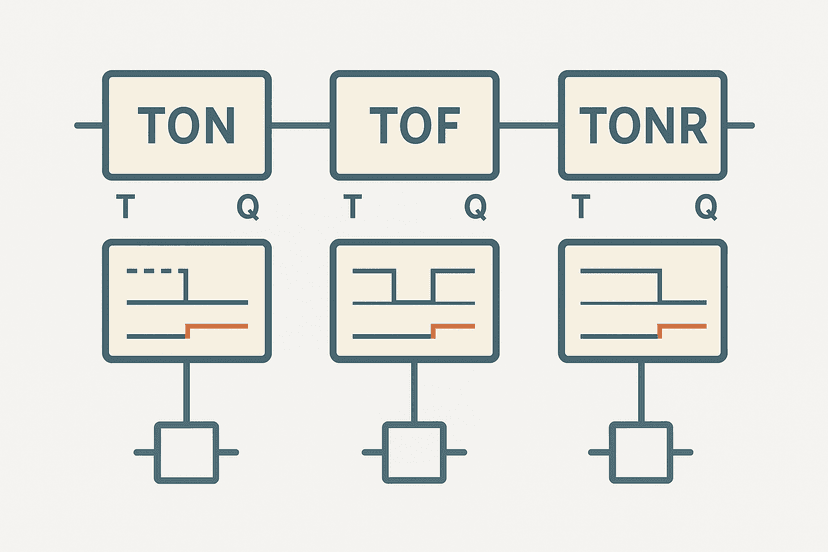
Timers in SCL use the IEC TON, TOF and TONR function blocks. You declare a static instance in the FB's VAR section (or as a multi-instance), then call it as a function block each scan. The syntax surprises people who come from ladder, where the timer block sits on the rung and auto-resets.
// FB: Conveyor_Delay_Start
// Starts conveyor 5 seconds after Start_PB is pressed
// Timer instance is declared in VAR (static, persists between scans)

VAR
    Start_Delay : TON;   // IEC on-delay timer instance
END_VAR

// Call the timer every scan - just like energising a ladder rung
Start_Delay(IN  := Start_PB AND NOT Stop_PB,
            PT  := T#5s);

// Use the .Q output bit to control the conveyor
Conveyor_Run := Start_Delay.Q AND NOT Fault_Active;

// Read elapsed time if you need it on the HMI
HMI_DelayElapsed_ms := DINT_TO_INT(Start_Delay.ET / T#1ms);
The key point: you must call the timer instance every scan by referencing it. If you only call it conditionally (inside an IF block that may not execute), the timer stops accumulating. That is a common bug when people first migrate from ladder.
Structured Text in TIA Portal: Analog Scaling Example
One of the most practical uses for SCL is analog scaling. The S7-1200 AI module returns a raw INT value of 0 to 27648 for a 4-20 mA input. Converting that to engineering units in ladder requires several CALCULATE or MUL/ADD blocks chained together. In SCL it is one readable line.
// Scale AI raw count to engineering units
// Raw range: 0 to 27648 (0 to 20 mA on S7-1200 AI)
// Useful signal: 5530 to 27648 (4 to 20 mA)
// Engineering range: 0.0 to 100.0 (e.g. % level)
//
// Formula: EU = (Raw - Raw_Lo) / (Raw_Hi - Raw_Lo) * (EU_Hi - EU_Lo) + EU_Lo

VAR_INPUT
    AI_Raw   : INT;     // Raw count from IW64 for example
    Raw_Lo   : INT  := 5530;    // counts at 4 mA
    Raw_Hi   : INT  := 27648;   // counts at 20 mA
    EU_Lo    : REAL := 0.0;
    EU_Hi    : REAL := 100.0;
END_VAR

VAR_OUTPUT
    Level_Pct : REAL;
END_VAR

VAR_TEMP
    raw_f     : REAL;
END_VAR

raw_f     := INT_TO_REAL(AI_Raw);
Level_Pct := (raw_f - INT_TO_REAL(Raw_Lo))
             / INT_TO_REAL(Raw_Hi - Raw_Lo)
             * (EU_Hi - EU_Lo)
             + EU_Lo;

// Clamp to valid range (sensor failure protection)
IF Level_Pct > EU_Hi THEN Level_Pct := EU_Hi; END_IF;
IF Level_Pct < EU_Lo THEN Level_Pct := EU_Lo; END_IF;
If you want to check your raw-to-engineering conversion math before writing the code, the analog scaling calculator lets you punch in the raw counts and engineering range and verify the expected output.
Common SCL Mistakes in TIA Portal
- Missing semicolon. Compiler error points at the line after the problem, not the line with the missing semicolon. Always check one line up.
- Using = instead of := for assignment. The compiler catches this, but it confuses people switching from C.
- Calling a timer inside an IF block. The timer only accumulates when the IF condition is TRUE. Declare the timer call unconditionally, then use the .Q bit inside the IF.
- Implicit type conversion. SCL does not silently cast INT to REAL for you. Use INT_TO_REAL(), DINT_TO_REAL() etc. Forgetting this causes integer truncation in math.
- Declaring VAR_TEMP in an FC but forgetting it is not initialised. VAR_TEMP is on the stack and contains whatever was last there. Initialise explicitly on first use.
- Forgetting ELSE in a CASE or IF. Outputs can get stuck in their last state if no branch executes. Always drive every relevant output in every branch.
Mixing SCL and Ladder in the Same PLC Program
TIA Portal lets you mix languages freely. A practical pattern I use on most projects: write all interlocks and output coils in ladder (maintenance technicians can read it without training), and write all calculations, state machines and data processing in SCL FBs that ladder calls. The ladder rung just looks like FB_WashCycle_DB.Wash_State, which is readable enough.
To call an SCL FB from a ladder network: insert a Box instruction, type the FB name, and assign an instance DB. The FB's VAR_INPUT and VAR_OUTPUT pins appear on the box exactly like any other instruction. The execution order follows the network order in OB1, same as always.
A Note on S7-1200 vs S7-1500 SCL Differences
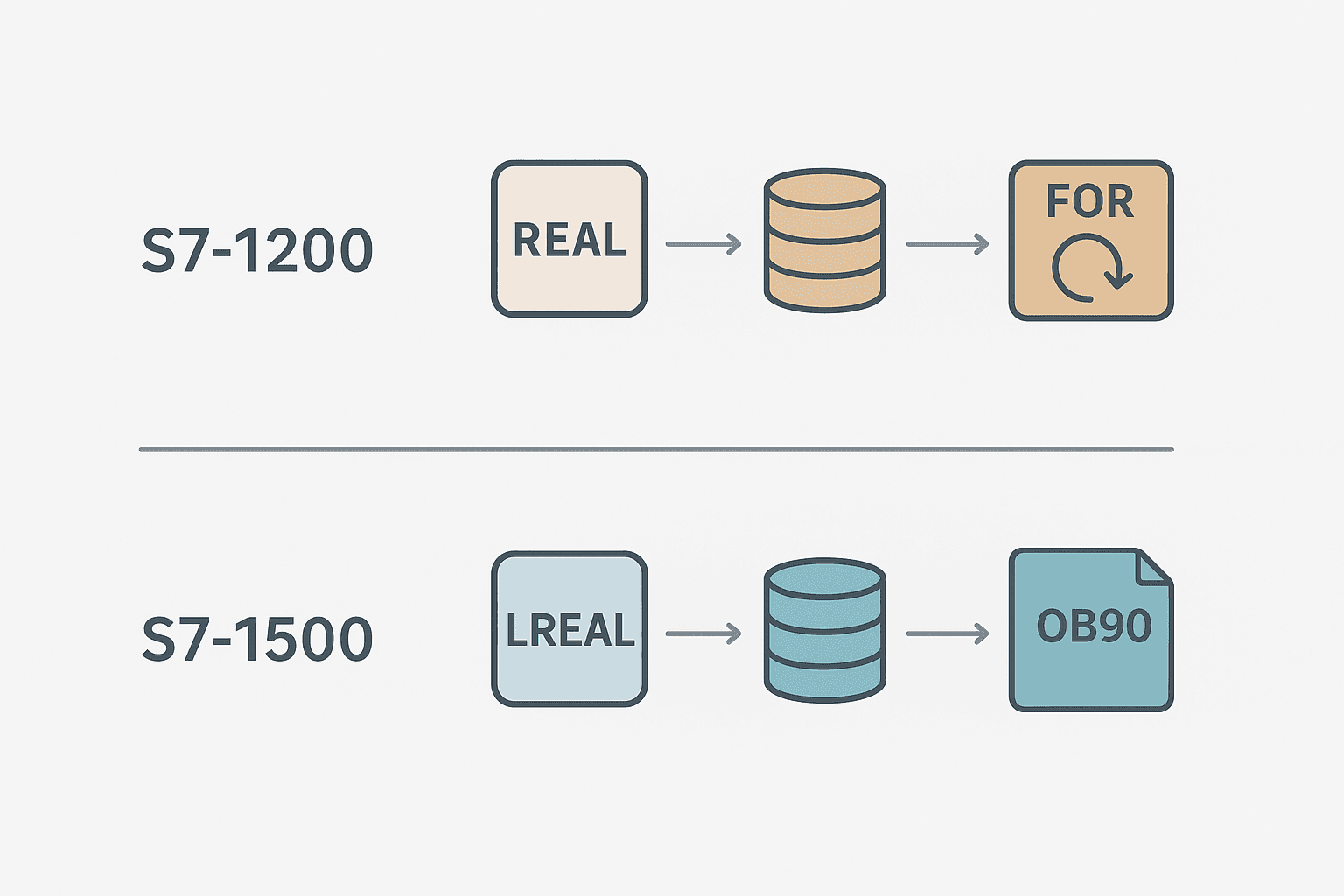
The core SCL syntax is identical between the two CPUs. The practical differences you will hit:
- The S7-1500 supports
LREAL(64-bit double precision float). The S7-1200 is limited toREAL(32-bit). If you write code on a 1500 project using LREAL and then try to port it to a 1200, you get a type error. - The S7-1500 has a dedicated
OB90for background processing, useful for long loops. The S7-1200 does not. - String handling on the S7-1200 is limited.
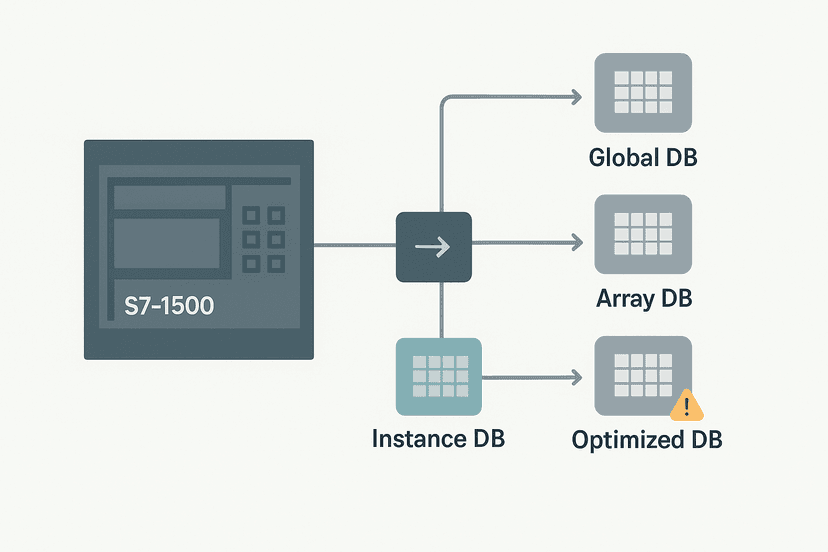
CONCAT,LEFT,RIGHTwork, but performance is slow on long strings. Do not put heavy string processing in OB1 on a 1200. - The S7-1500 has native SIMD-style optimised block access (optimised DB). The S7-1200 supports optimised DBs too, but the S7-1500 compiler is more aggressive about it. Always enable optimised block access unless you have a specific reason (legacy Modbus absolute address access) not to.
Structured Text in TIA Portal: Quick Reference
| Construct | SCL syntax | Notes |
|---|---|---|
| Assignment | `x := 5;` | Colon-equals, not equals |
| Boolean AND | `A AND B` | Also: OR, NOT, XOR |
| Integer compare | `IF x > 10 THEN` | Also: <, >=, <=, =, <> |
| On-delay timer | `MyTimer(IN:=x, PT:=T#5s);` | Call every scan; use MyTimer.Q |
| Elapsed time | `MyTimer.ET` | Type TIME; cast with /T#1ms for ms value |
| FOR loop | `FOR i:=0 TO 9 DO ... END_FOR;` | Loop var must be INT or DINT |
| WHILE loop | `WHILE cond DO ... END_WHILE;` | Risk of watchdog if condition never FALSE |
| Type cast | `INT_TO_REAL(myInt)` | Always explicit in SCL |
| Bit access | `myByte.%X3` | Access bit 3 of a BYTE variable |
Getting Comfortable: A Mini Exercise
Create an FC called FC_TempAlarm in SCL. Give it two REAL inputs (Temp_PV and Alarm_Setpoint) and one BOOL output (Temp_High_Alarm). Add a 5-second on-delay so the alarm only activates if the temperature stays above the setpoint for 5 continuous seconds (not a momentary spike). The timer must live in a static VAR, so make it an FB instead. Wire it into OB1 with a test DB and force Temp_PV above and below Alarm_Setpoint in online mode. You will learn timer instances, type handling and FB structure in one small block.
Frequently asked questions
What is SCL in TIA Portal and is it the same as Structured Text?
Can I mix SCL and ladder in the same TIA Portal project?
Why does my TON timer in SCL not run when I put it inside an IF block?
What is the S7-1200 raw count range for a 4-20 mA analog input?
Does TIA Portal SCL support object-oriented programming?
How do I access a specific bit of a BYTE or WORD variable in TIA Portal SCL?
MyByte.%X0 gives you bit 0, MyByte.%X7 gives you bit 7. For a WORD, bits run from %X0 to %X15. This is read-write, so you can set StatusWord.%X3 := TRUE; directly without masking. Note this syntax is Siemens-specific and differs slightly from some other IEC ST implementations.Now build it
You have just read about TOF. Reading a rung and making one behave are different skills, and the second one is the job.
Off-Delay Cooling Fan (TOF)
Intermediateabout 12 minA heater's cooling fan must keep running for 3 seconds AFTER the heater stops: the classic off-delay. One TOF timer does the whole job.
Build this rungFree, no signup, runs in your browser. See all 16 exercises.
Was this helpful?