What Is SCADA Software? Features and How to Choose One
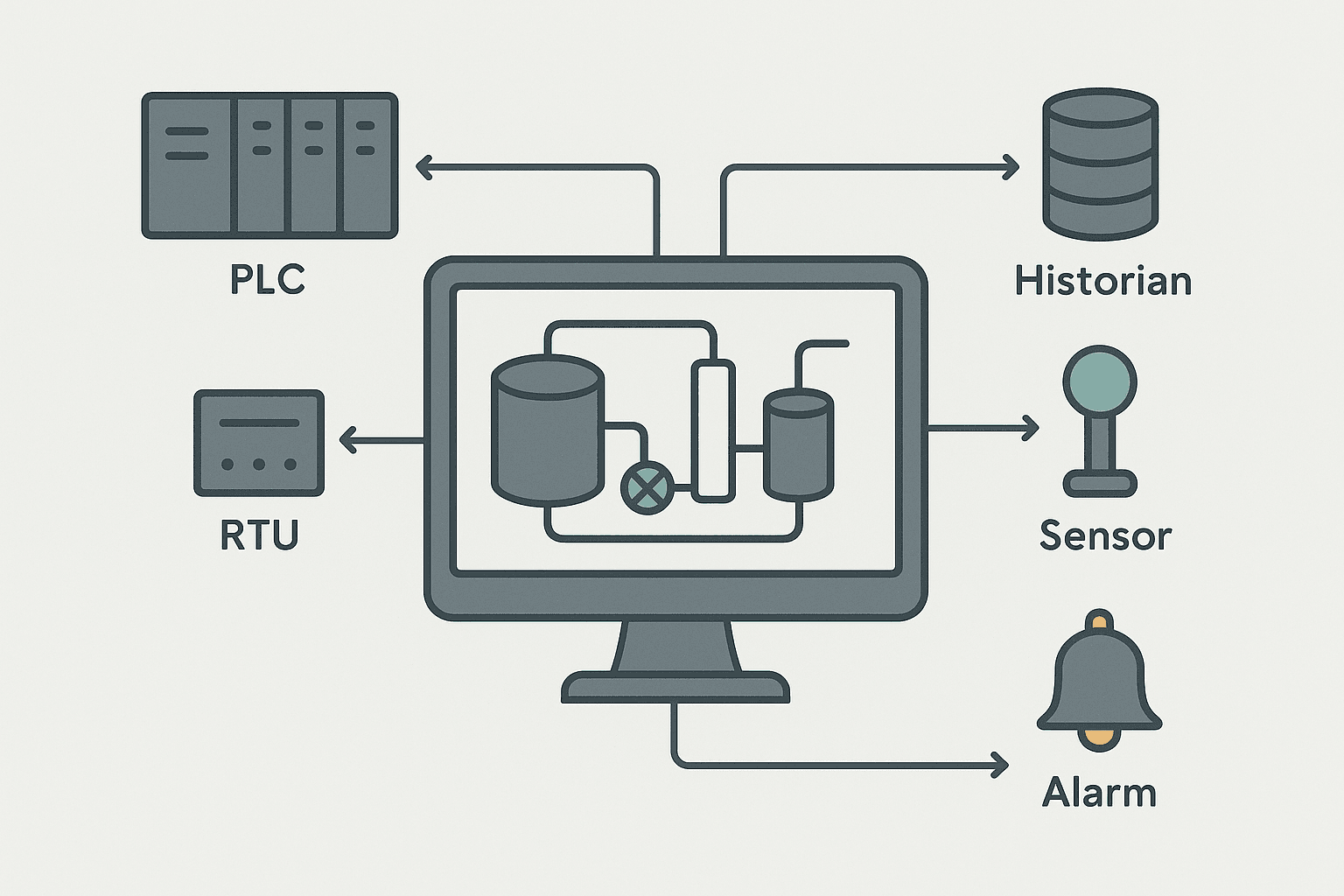
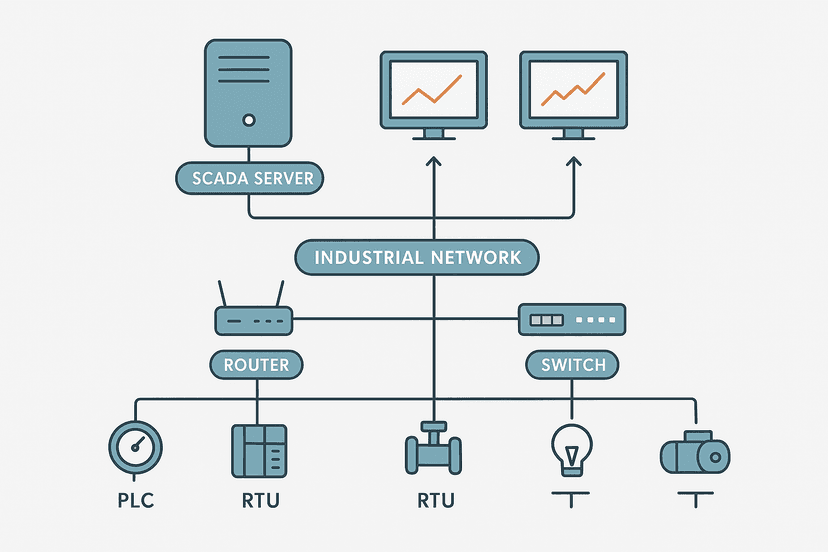
SCADA software is the application layer that collects data from field devices, displays it as a live process graphic, logs it to a historian, generates alarms, and lets operators send commands back to the plant. That is it. Everything else, the licensing models, the tag limits, the redundancy options, is detail layered on top of that core job.
If you have already read What Is a SCADA System and How Does It Work?, you understand the overall system. This post focuses specifically on the software layer: what its functional pieces are, which features actually matter in practice, and the decision criteria you should use when choosing a platform for a real project.
What SCADA Software Actually Does
Strip away the marketing and every SCADA package does five things. It acquires data from field devices via a communication driver. It processes that data, applying scaling, calculations and logic. It presents it graphically on process mimics. It manages alarms against configured limits. And it logs historical data for trending, reporting and compliance.
Operators interact with it to monitor status, acknowledge alarms, and issue setpoints or commands. Engineers use it to configure the database, build screens, tune alarm limits and write scripts. Maintenance staff use it to pull trend data when something went wrong at 2 AM last Tuesday.
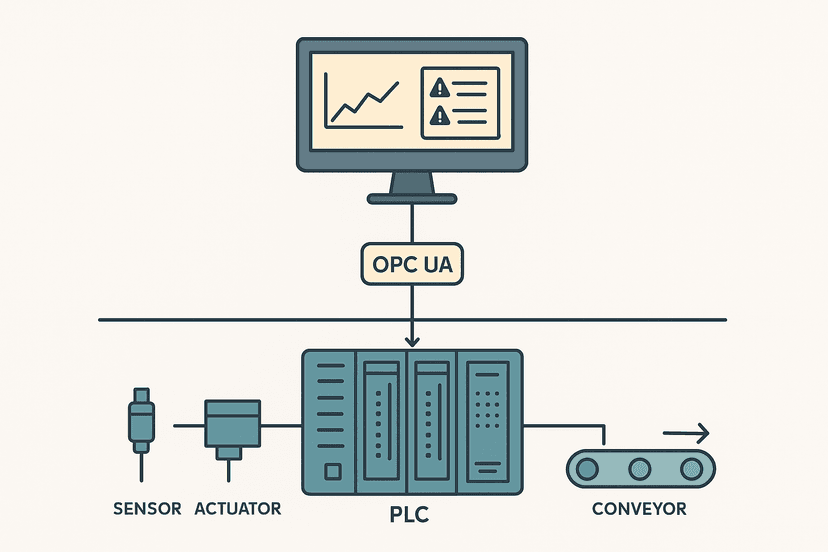
Importantly, SCADA software does not replace your PLC. The PLC still executes the control logic scan-by-scan. SCADA sits above it, reading and writing tags over a network protocol such as OPC UA, Modbus TCP, EtherNet/IP or PROFINET. If comms drop, the PLC keeps running on its last setpoints. That separation is intentional and it matters for safety. See SCADA vs PLC: How They Work Together on the Plant Floor for a deeper look at that boundary.
Core Features of SCADA Software
Tag Database
Every piece of data in a SCADA system is a tag. Tags have a name, a data type, a source address, engineering units, and scaling parameters. A small water treatment system might have 500 tags. A refinery SCADA might have 500,000. Most vendors license by tag count, so this number directly affects your budget. Watch out for platforms that count internal calculation tags and system tags toward the license limit because that eats your allowance faster than you expect.
Communication Drivers
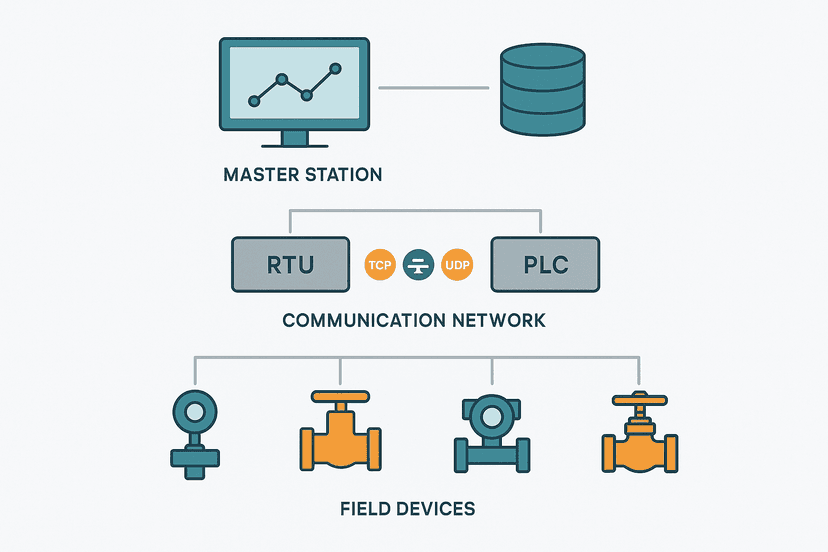
The driver library determines which field devices you can talk to natively. OPC UA is the modern standard and any decent platform supports it. Beyond that, check for native drivers for your specific PLC family. Connecting to a Siemens S7-1500 via OPC UA is easy. Getting legacy Modbus RTU serial devices to talk to a cloud-first SCADA platform can be painful if the vendor's serial driver is an afterthought. Always test comms before you commit to a platform on a project with unusual hardware.
Process Graphics and Displays
The graphics environment is where engineers spend most of their configuration time. Good platforms give you a symbol library with standard ISA-5.1 instrument shapes, dynamic properties tied to tag values, and layering so you can build reusable templates. Poor platforms have you drawing every valve from scratch and then wondering why your 400-screen project took three times as long as quoted.
Situational awareness design matters here. High-performance HMI principles, greys and muted colors for normal state with color only for abnormal, are now widely accepted as best practice. Some platforms enforce this through their default symbol libraries. Others give you a blank canvas and let you build something that looks like a 1995 video game. The platform does not make the design, but the tooling does influence the outcome.
Alarm Management
ISA-18.2 defines how alarms should be managed: rationalized, prioritized (typically four levels), shelved with time limits, and audited. A SCADA platform that does not support shelving, suppression hierarchies and alarm flood analysis is going to give you a system where operators ignore everything because the screen is permanently full of nuisance alarms. Check that the platform stores alarm state changes with millisecond timestamps and operator acknowledgement records, because you will need that for incident investigation.
Historian and Trending
Some platforms bundle a historian; others rely on an external one. Bundled historians are convenient but can become a bottleneck at high tag counts or fast scan rates. External historians from OSIsoft (now AVEVA PI), Canary Labs, or InfluxDB give you more scalability and analysis tools. The key specs to nail down are: minimum storage interval (you often need 100 ms for fast analog loops), compression algorithm (make sure it does not throw away the peaks), and retention period. Regulatory industries like pharma and food may require 7 to 10 years of raw data.
Scripting and Calculated Tags
At some point you will need logic in the SCADA layer: efficiency calculations, KPI rollups, unit conversions that the PLC does not handle, or sequencing of multi-step operator actions. Most platforms support VBScript, Python, or a proprietary expression language. Python support is increasingly common and far more maintainable than legacy VBScript. Whatever the language, keep SCADA-side logic minimal. If it belongs in the PLC, put it there. SCADA scripts that are hard to version-control and have no structured testing are a maintenance headache.
SCADA Software Features Comparison Table
| Feature | Why It Matters | What to Check |
|---|---|---|
| Tag licensing model | Determines total cost at scale | Does it count system tags? Is there a free tier for dev? |
| OPC UA client/server | Modern, secure, vendor-neutral comms | UA version supported, certificate handling, subscription rates |
| Native PLC drivers | Simpler setup for common PLCs | Siemens S7, Logix, Omron, Mitsubishi coverage |
| Redundancy | Hot-standby failover for critical systems | Failover time, shared historian, client reconnect behavior |
| Alarm management (ISA-18.2) | Reduces alarm floods, supports compliance | Shelving, suppression, audit trail, flood analysis reports |
| Historian | Trending, reporting, incident investigation | Storage interval, compression, retention, export format |
| Web/thin client | Remote monitoring without thick-client install | Responsive display, read-only vs write access control |
| Security and role-based access | Prevents unauthorized operator commands | AD integration, MFA support, audit log |
| Scripting language | Custom calculations and logic | Python support, version-control friendliness |
| Mobile/tablet display | Field operator access | Native app vs browser, touch-optimized graphics |
How to Choose SCADA Software for Your Project
Start With Your Scale and Architecture
A 200-tag skid monitor for a single building is a completely different problem from a 50-site water utility with RTUs on 2G/4G cellular. Get your tag count, site count, client count, and network topology written down before you open a vendor catalog. Platforms like Ignition (Inductive Automation) are competitive at both ends of that scale and license by server rather than tag count, which changes the economics significantly above 10,000 tags. Platforms like Wonderware (now AVEVA System Platform) are powerful at the top end but carry a complexity and cost overhead that is overkill for a small skid.
Match the Platform to Your Field Hardware
If your plant is 90% Siemens, TIA Portal's WinCC (both the panel-based and PC-based variants) integrates tightly with S7 PLCs and shares the same project database. That is a genuine engineering advantage. If you have a mixed fleet of Siemens, Rockwell and legacy Modbus devices, a vendor-neutral platform with a strong driver library, FactoryTalk View SE, Ignition, or Citect, often makes more sense than trying to force everything through a single-vendor ecosystem.
Redundancy Requirements
Hot-standby redundancy, where a secondary SCADA server takes over in under 5 seconds on primary failure, is standard on continuous process plants and utilities. Not every platform implements this equally. Ask specifically: how long does the failover take? Does the historian continue logging during the switch? Do connected clients automatically reconnect? Some platforms require a manual operator action to activate the standby, which defeats the purpose. Test it in the lab before you promise it to a client.
Security and IT Integration
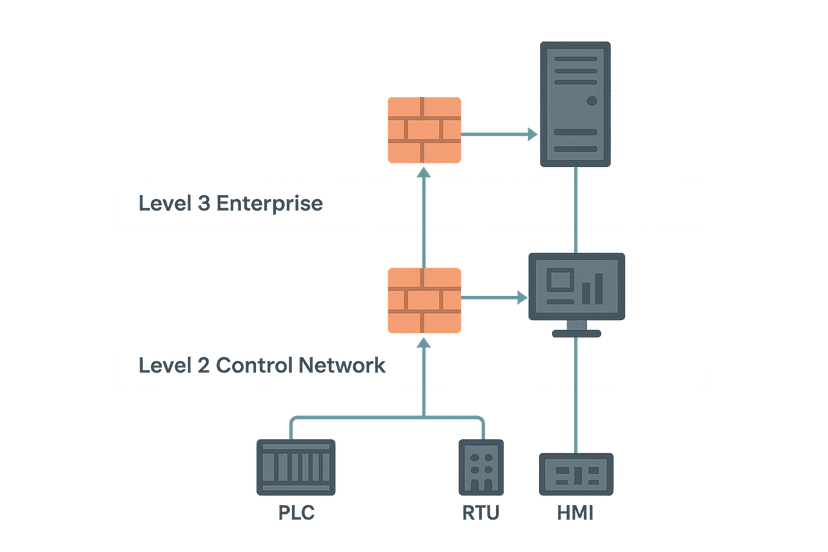
OT cybersecurity is no longer optional. Your IT department will ask about Active Directory integration for user management, encrypted communications, audit trails for every operator action, and patch cadence for the SCADA software itself. Platforms that run on standard Windows Server and integrate with AD are much easier to manage than proprietary OS environments. Check how often the vendor releases security patches and whether those patches require a full system restart, because downtime for patching is a real operational cost.
Cloud, Edge and IIoT Connectivity
Many modern SCADA platforms now support MQTT with Sparkplug B for efficient edge-to-cloud data pipelines, OPC UA pub/sub for high-speed data, and connectors to Azure IoT Hub, AWS IoT or on-premise historians. If your roadmap includes predictive maintenance analytics or enterprise dashboards, confirm that the platform can publish to your chosen cloud without a custom middleware layer. Retrofitting data connectivity to a SCADA system that was not designed for it is expensive.
Major SCADA Software Platforms at a Glance
| Platform | Vendor | Typical Use Case | Licensing Model |
|---|---|---|---|
| Ignition | Inductive Automation | Small to enterprise, IIoT-friendly | Server-based, unlimited tags/clients |
| WinCC / WinCC OA | Siemens | Siemens-heavy plants, large infrastructure | Tag-count or point-count |
| FactoryTalk View SE | Rockwell Automation | Rockwell-centric manufacturing | Display client + server licenses |
| AVEVA System Platform | AVEVA (Schneider heritage) | Large continuous process, oil and gas | Object/tag-count, complex |
| Citect SCADA | AVEVA | Utilities, mining, discrete manufacturing | Tag-count |
| iFIX | GE (now Proficy) | Pharma, food, regulated industries | Tag-count, FDA 21 CFR 11 support |
| InTouch | AVEVA (Wonderware heritage) | Wide installed base, discrete and process | Tag-count |
| GENESIS64 | ICONICS | Building automation, IIoT, analytics | Tag-count, cloud options |
Common Mistakes When Specifying SCADA Software
- Underestimating tag count. Add 30% to your first estimate. Tag counts always grow during commissioning.
- Ignoring the historian scan rate. Specifying 1-second logging and then needing 100 ms for a fast loop is a painful retrofit.
- Picking a platform the local integrator has never used. Support and local expertise matter more than feature lists.
- Skipping the redundancy test in staging. Failover that was never tested will fail at the worst possible time.
- Forgetting the thin-client or mobile requirement until after go-live. Adding web client capability later often requires a license upgrade.
- Treating SCADA security as an IT problem only. The OT team needs to be involved from day one.
SCADA Software and the PLC: Keeping the Boundary Clear
The single biggest mistake on projects where SCADA selection is rushed is putting control logic in the SCADA layer that belongs in the PLC. SCADA is for visualization, alarming, logging and operator interaction. The PLC is for deterministic real-time control. A setpoint written from SCADA to a PLC register is fine. A SCADA script that computes the output of a PID loop and writes it directly to an analog output is not. That logic will misbehave on any comms hiccup and is untestable by normal PLC commissioning practices.
Keep that boundary clean and your system will be easier to troubleshoot, easier to hand over, and safer to operate.
Frequently asked questions
What is the difference between SCADA software and an HMI?
Can SCADA software run on Linux or in the cloud?
What protocols should SCADA software support?
Is SCADA software the same as a historian?
How long does it take to commission a SCADA system?
Learn this by building it
There is a PLC in this site. It runs a real scan engine, checks your logic against the same tests a working machine would fail, and needs no download and no account.
Open the exercisesFree, no signup, runs in your browser. See all 16 exercises.
Was this helpful?