HMI and SCADA: How They Fit Together in a Real Plant
Most automation engineers use the words HMI and SCADA as if they mean the same thing. They don't. Both put process data on a screen, but they sit at different layers of the automation pyramid, serve different users, and fail in different ways. Getting that distinction right matters the moment you're scoping a project, choosing software, or trying to figure out why an operator can't see a fault that the control room caught 10 minutes earlier.
The Automation Layers a Plant Actually Uses
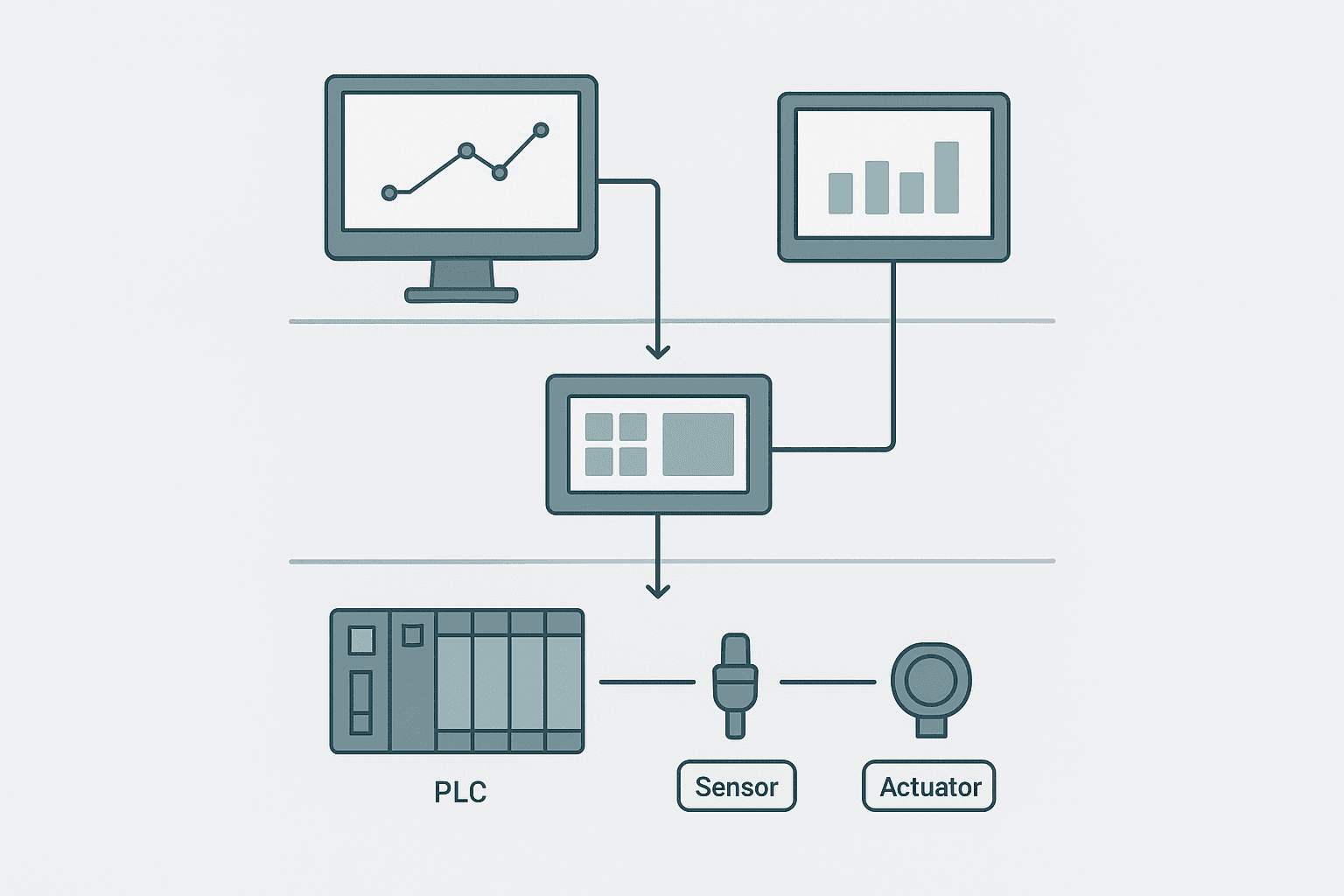
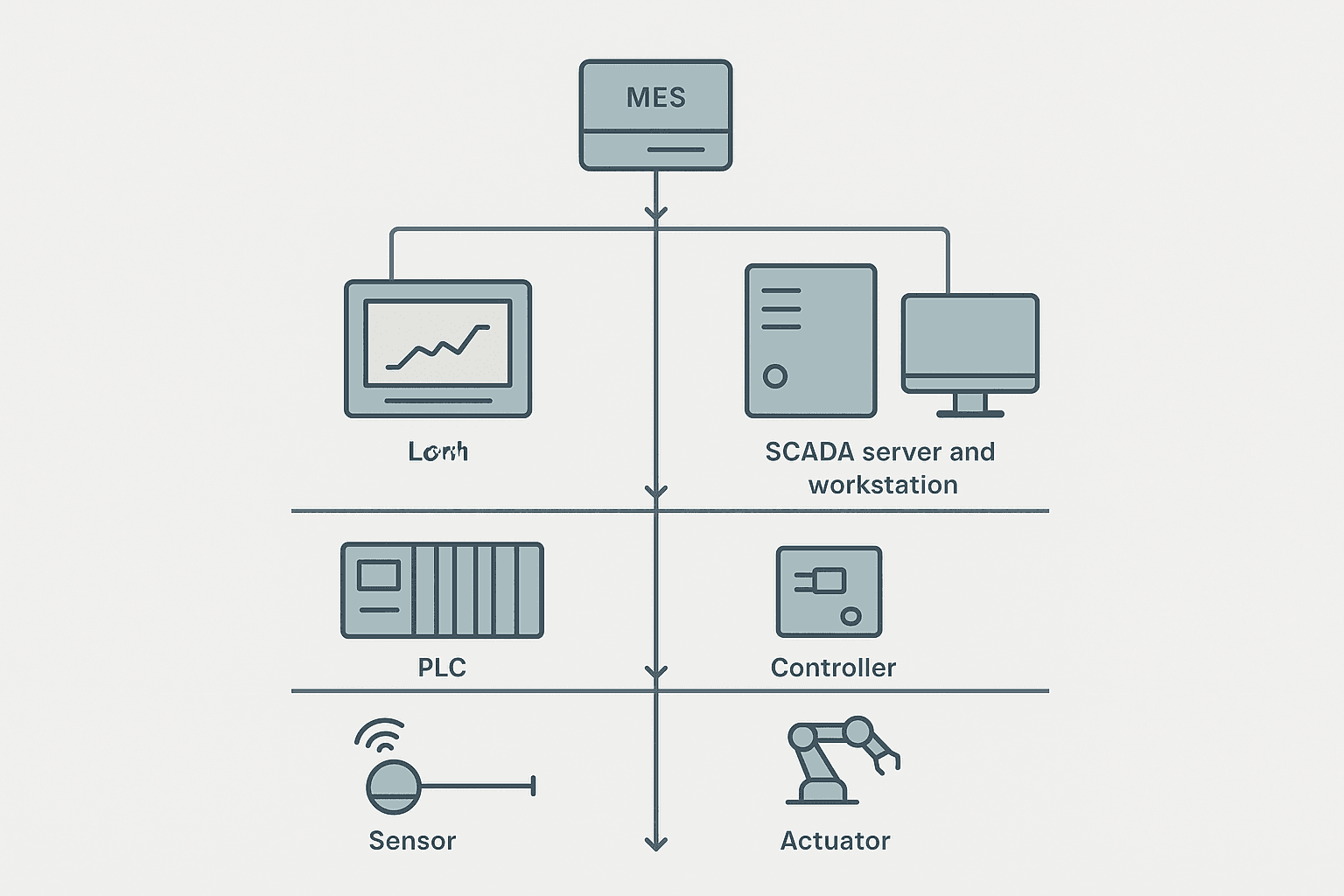
Think of a real plant as four distinct layers stacked on top of each other. The field layer is sensors, actuators, solenoids and drives. The control layer is your PLCs and PACs doing the actual logic. The supervision layer is where HMIs and SCADA systems live. Above that sits the enterprise layer: MES, ERP, historian. Most of the confusion between HMI and SCADA comes from conflating the supervision layer, because both technologies live there, just at different scopes.
What an HMI Actually Does
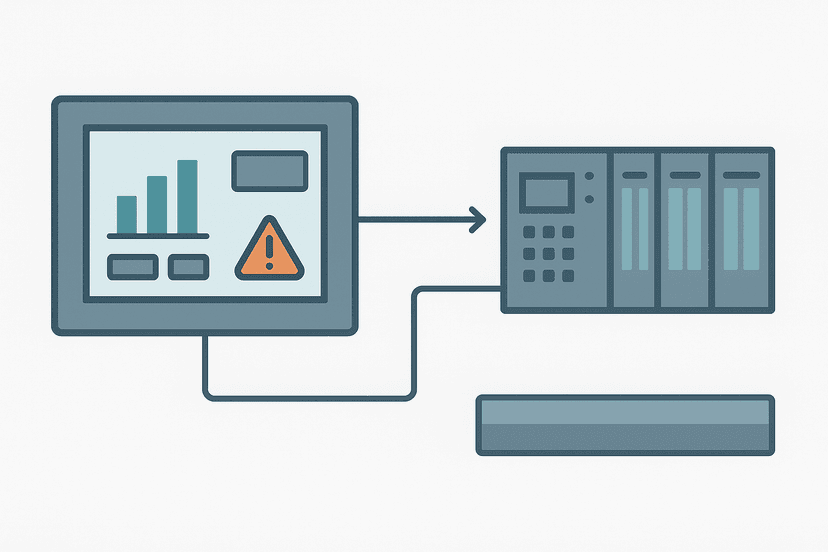
An HMI (Human Machine Interface) is tightly coupled to a single machine or a single PLC. It talks directly to the PLC, usually over a dedicated protocol: Siemens HMIs use S7 or PROFINET, Rockwell panels use EtherNet/IP, Mitsubishi GOT panels use MC protocol. The HMI reads and writes tags in the PLC's memory at the scan rate of that PLC, which is typically 100 ms to 500 ms poll cycles in practice.
The operator standing at the machine uses that HMI. They start and stop a conveyor, enter a setpoint, acknowledge a fault on the line they're physically next to. The screen is usually 7 to 15 inches, mounted on the panel door or on a swing arm. Siemens KTP700, Weintek MT8000, Rockwell PanelView Plus, Omron NA series, Keyence VT series, these are all HMIs in this sense. They are dedicated embedded devices running their own firmware, not general-purpose computers.
HMI Limitations You'll Hit in Practice
- Historical trending is shallow. Most panel HMIs store 1,000 to 50,000 rows of tag history locally. Once the buffer fills, old data is gone unless you're pushing to a USB or an external historian.
- Alarm management is basic. You can configure alarm lists, but cross-machine alarm correlation, shelving, dead-banding, these are usually not available on a panel HMI.
- No multi-site visibility. The HMI sees one PLC (or at most a small cluster). If you want a view across 20 machines, you need a layer above it.
- Limited user security. Most panel HMIs offer 4 to 8 user levels, not the role-based access control a serious SCADA system provides.
- Reporting is minimal or nonexistent. Shift reports, downtime logs, OEE calculations all need a SCADA or MES layer.
What SCADA Actually Does
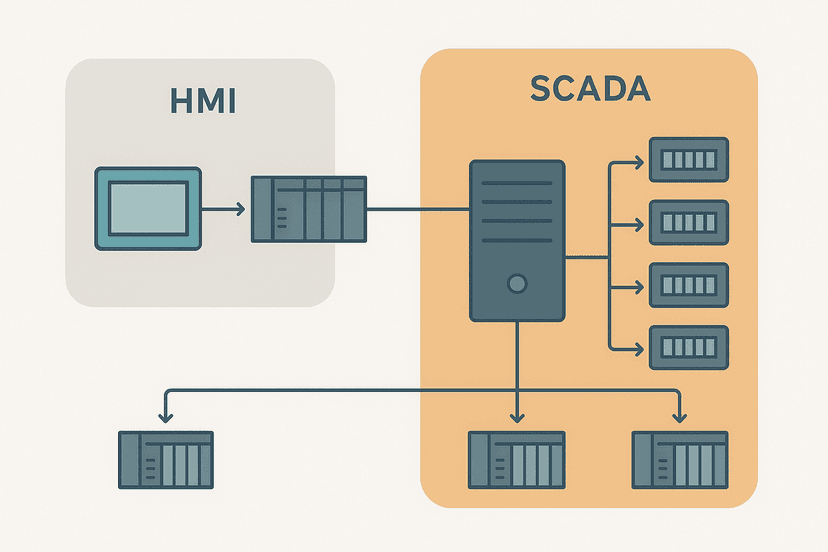
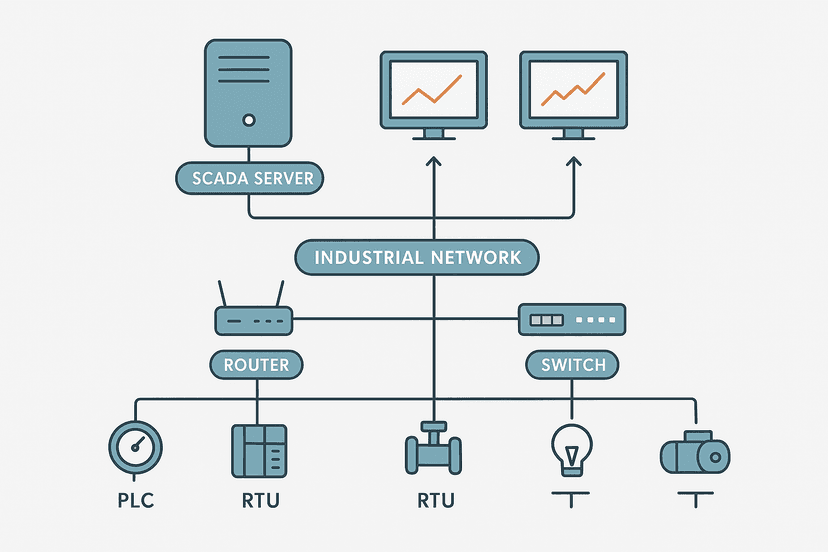
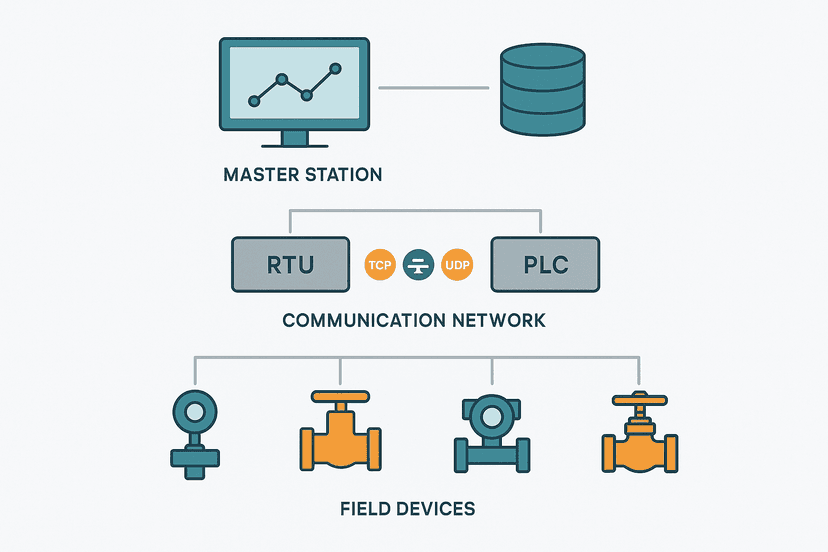
SCADA (Supervisory Control and Data Acquisition) runs on a server or industrial PC, often in a control room, and talks to many PLCs or RTUs simultaneously. A mid-sized food plant might have 12 PLCs on the floor. The SCADA server polls all of them, aggregates the data into a unified tag database, and presents a plant-wide view to the control room operators. Common SCADA platforms in the field right now include Inductive Automation Ignition, Wonderware (now AVEVA System Platform), Siemens WinCC, Rockwell FactoryTalk View SE, GE iFIX and Schneider EcoStruxure. Each has a server component and one or more client workstations.
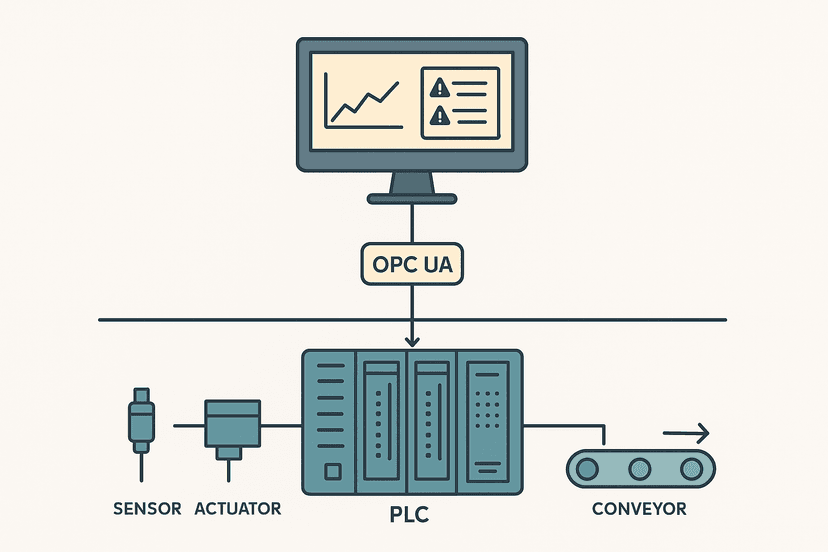
SCADA connects to PLCs through OPC UA, OPC DA, or native drivers. An OPC UA server running on or near the PLC exposes a structured tag namespace; the SCADA client subscribes to the tags it needs. For older Modbus RTU devices or legacy RTUs, the SCADA server runs a Modbus TCP or serial driver directly. This is why SCADA servers often have a mix of Ethernet ports, serial ports and software driver licenses.
What SCADA Gives You That HMI Cannot
- Plant-wide alarming with ISA-18.2 alarm management, including shelving, suppression, and alarm KPI reporting.
- A built-in or integrated historian: Ignition's built-in historian, OSIsoft PI (now AVEVA PI), Wonderware Historian. These store years of process data at configurable resolution.
- Multi-client access: 5 to 50 operator workstations all seeing the same live plant state, with role-based security.
- Scripting and analytics: Python scripts in Ignition, VBScript in WinCC, which let you do calculations, auto-reports and event-driven logic at the SCADA layer without touching PLC code.
- Remote access over VPN: a SCADA system can serve web clients or thin clients so an engineer can monitor the plant from a laptop off-site.
- Integration upward to MES or ERP via SQL, REST or OPC UA, passing production counts, downtime events and quality data.
HMI and SCADA Running Side by Side
In nearly every plant I've worked in, both systems run simultaneously and serve different people. The machine operator at the press uses the panel HMI to run their cell. The production supervisor in the control room uses SCADA to watch the whole line. The maintenance engineer uses SCADA trend data to see that a pump current has been climbing for three days before the bearing fails.
The PLC is the single source of truth for both of them. The HMI reads the PLC directly. The SCADA server also reads the same PLC, usually via a separate Ethernet connection or VLAN. Both get the same data, but the HMI shows it fast and local, while SCADA stores it, aggregates it and makes it visible plant-wide. Neither one controls the process: the PLC does. The HMI and SCADA just write setpoints and commands back to the PLC, which then acts on them in its own scan cycle.
Network Architecture: Keeping HMI and SCADA Traffic Separated
This is where a lot of small plants get into trouble. They put the panel HMI, the SCADA server and the PLCs all on the same flat Ethernet switch. It works fine when the plant is small. As you add devices, SCADA polling traffic, HMI refresh traffic and PLC I/O update traffic start competing for bandwidth. More importantly, a flat network means a compromised SCADA workstation has direct TCP access to every PLC.
A proper architecture uses VLANs or separate physical segments. The PLC control network (VLAN 10, say, on 192.168.10.x) carries PLC-to-PLC and PLC-to-HMI traffic. The SCADA network (VLAN 20, 192.168.20.x) carries SCADA-to-PLC polling and SCADA-to-historian traffic. A managed switch or a small firewall sits between them, allowing only the specific OPC UA or EtherNet/IP ports the SCADA server needs. The corporate network is a third segment entirely, connected to SCADA only through a DMZ if remote access is needed.
| Layer | Typical Device | Protocol to PLC | User | Data Retention |
|---|---|---|---|---|
| Local HMI | Siemens KTP900, Rockwell PanelView Plus 7 | S7 / EtherNet/IP | Machine operator | Hours to days (local buffer) |
| SCADA Server | Ignition, WinCC, FactoryTalk SE | OPC UA / EtherNet/IP / Modbus TCP | Control room, supervisor | Years (historian) |
| MES / ERP | SAP, Plex, custom SQL | REST / SQL / OPC UA | Production manager, finance | Years (business DB) |
A Real Example: Bottling Line with Both Layers
Picture a four-machine bottling line: filler, capper, labeller, case packer. Each machine has its own CompactLogix PLC and a 10-inch PanelView Plus HMI on the machine panel. The filler operator uses their HMI to set fill volume, start and stop the machine, and acknowledge faults. That HMI talks directly to the filler PLC over EtherNet/IP on the 192.168.10.x control VLAN.
In the control room 40 metres away, Ignition SCADA polls all four PLCs every 500 ms via EtherNet/IP drivers. The control room screen shows a mimics view of the whole line: all four machine speeds, bottle counts, active alarms across all PLCs, fill weight trend for the last 8 hours. When the labeller throws a fault, the control room operator sees it at the same time as the labeller operator does. The historian logs the fault timestamp and the machine state at the moment of fault. At the end of the shift, SCADA generates a production report: total bottles, downtime by machine, waste count.
None of that plant-wide view is possible from a single machine HMI. And none of the fast, local machine control is practical from a SCADA workstation 40 metres away. That's exactly why both layers exist in every serious plant.
Where the Boundary Gets Blurry
The line between HMI and SCADA has genuinely blurred over the last ten years. Ignition can run on an industrial PC bolted to a machine panel and serve a single PLC, which makes it look a lot like an HMI. Siemens WinCC Unified runs on a standard PC but also on a Comfort Panel, bridging both worlds. Weintek cMT series panels run a local HMI and can push data to a cloud SCADA simultaneously.
The practical distinction I use is scope and persistence. If the system's job is to give one operator fast, responsive control of one machine with minimal data retention, it's an HMI regardless of what software it runs. If the system's job is to aggregate data across multiple PLCs, store it long-term, manage alarms plant-wide and serve multiple users, it's SCADA. Plenty of modern systems do both, but the functions are still distinct even when they share a platform.
For a deeper look at how SCADA compares to PLC-level control specifically, see SCADA vs PLC: How They Work Together on the Plant Floor. And if you want to understand the server and RTU architecture behind a large SCADA system, SCADA System Architecture: Layers, RTUs and the Master Station covers that in detail.
Practical Checklist Before You Design the System
- Count the PLCs. If it's one PLC and one machine, a panel HMI is usually sufficient. More than two or three PLCs and you almost certainly need a SCADA layer.
- Define who needs to see what. Machine operators need local, fast, simple. Supervisors and engineers need trends, alarms, reports. These are different users with different needs.
- Decide on data retention requirements. A week of shift data? A panel HMI with USB logging might be enough. Years of process data for SPC or regulatory compliance? You need a historian, which means SCADA.
- Plan the network topology before buying anything. Flat networks cause problems. VLAN segmentation between control and supervision networks is a minimum.
- Check protocol compatibility early. Does your SCADA platform have a native EtherNet/IP driver, or will you need OPC UA? Does the PLC vendor's OPC UA server require a separate license?
- Decide on redundancy. A critical plant needs a redundant SCADA server pair. Panel HMIs typically have no redundancy, which is fine because the PLC keeps running if the HMI goes dark.
Frequently asked questions
Can a plant run without a SCADA system if it has HMIs on every machine?
Does the SCADA system control the process directly, or does the PLC still do that?
What protocol does SCADA use to talk to PLCs?
Is Ignition an HMI or a SCADA platform?
What happens to the HMI and SCADA if the PLC loses power?
Learn this by building it
There is a PLC in this site. It runs a real scan engine, checks your logic against the same tests a working machine would fail, and needs no download and no account.
Open the exercisesFree, no signup, runs in your browser. See all 16 exercises.
Was this helpful?