S7-1200 Data Blocks: Global vs Instance DB Explained
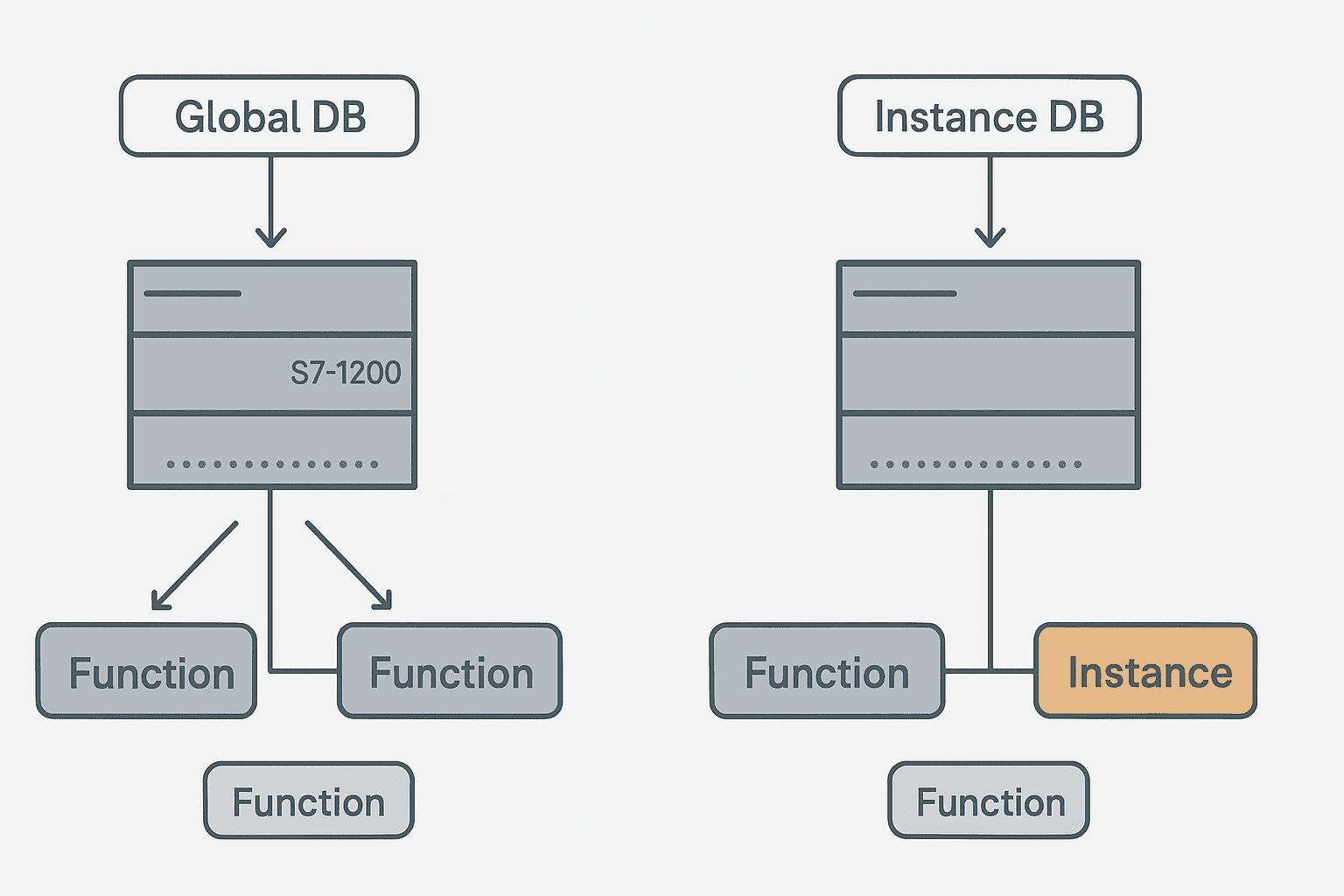
If you have spent any time with TIA Portal on an S7-1200 you have probably stared at the 'Add new block' dialog and wondered whether to pick a Global DB or let TIA Portal create an Instance DB automatically. The short answer is that they serve completely different purposes, and mixing them up causes exactly the kind of subtle bug that wastes an afternoon on a commissioning floor.
What Are S7-1200 Data Blocks?
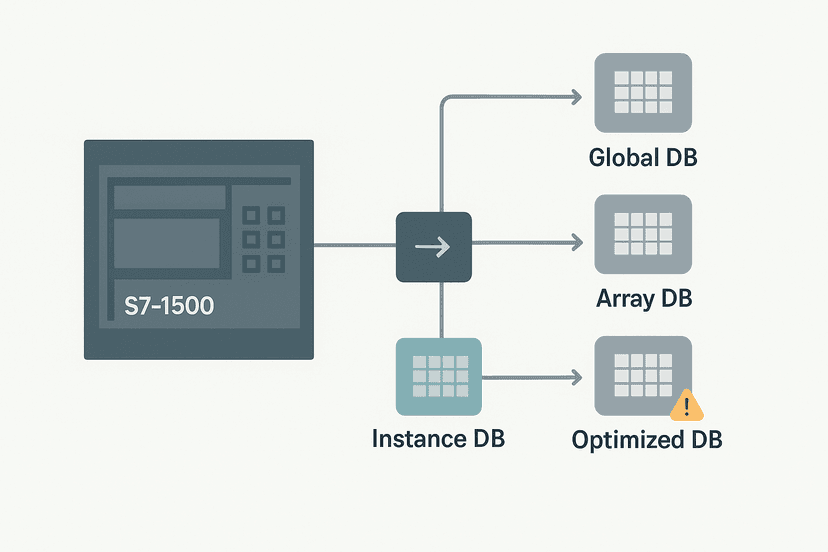
S7-1200 data blocks are memory structures that live in CPU work memory and persist across PLC scan cycles. Unlike I/O process image registers that update every scan, a DB variable holds its value until your code changes it. Every variable in a DB has a name, a data type, a start value and an optional retain flag. TIA Portal gives you two fundamentally different DB types: Global DBs, which you create manually and any code block can access, and Instance DBs, which TIA Portal creates automatically when you call a Function Block (FB) and which store only that FB's internal state.
Global DB: Shared Memory for the Whole Program
A Global DB is exactly what it sounds like: a free-standing data structure that any Organizational Block, Function or Function Block in your project can read from or write to. You create it manually in the TIA Portal project tree under 'Program blocks', define the variables you need (BOOL, INT, REAL, STRUCT, ARRAY, UDT, you name it), and then reference them symbolically from your code.
Global DBs are the right choice for shared data: recipe setpoints that multiple FBs need, alarm status flags that your HMI reads, communication buffers for Modbus RTU or PROFINET, and any value that needs to survive a code block boundary. If you are writing structured text in TIA Portal and you need a central setpoint table, that goes in a Global DB.
GDB_Recipes, GDB_AlarmFlags, GDB_CommBuffer. When a project grows to 50+ blocks, vague names like DB1 or DataBlock_3 become a serious liability.Instance DB: Private Memory That Belongs to a Function Block
Every time you call an FB in your program, TIA Portal requires you to assign an Instance DB to that call. The Instance DB is generated automatically from the FB's variable interface: the Static section of the FB interface becomes the DB's layout. Static variables are the key: they hold values between scan cycles, which is how an FB-based timer remembers how long it has been running even after its rung goes false.
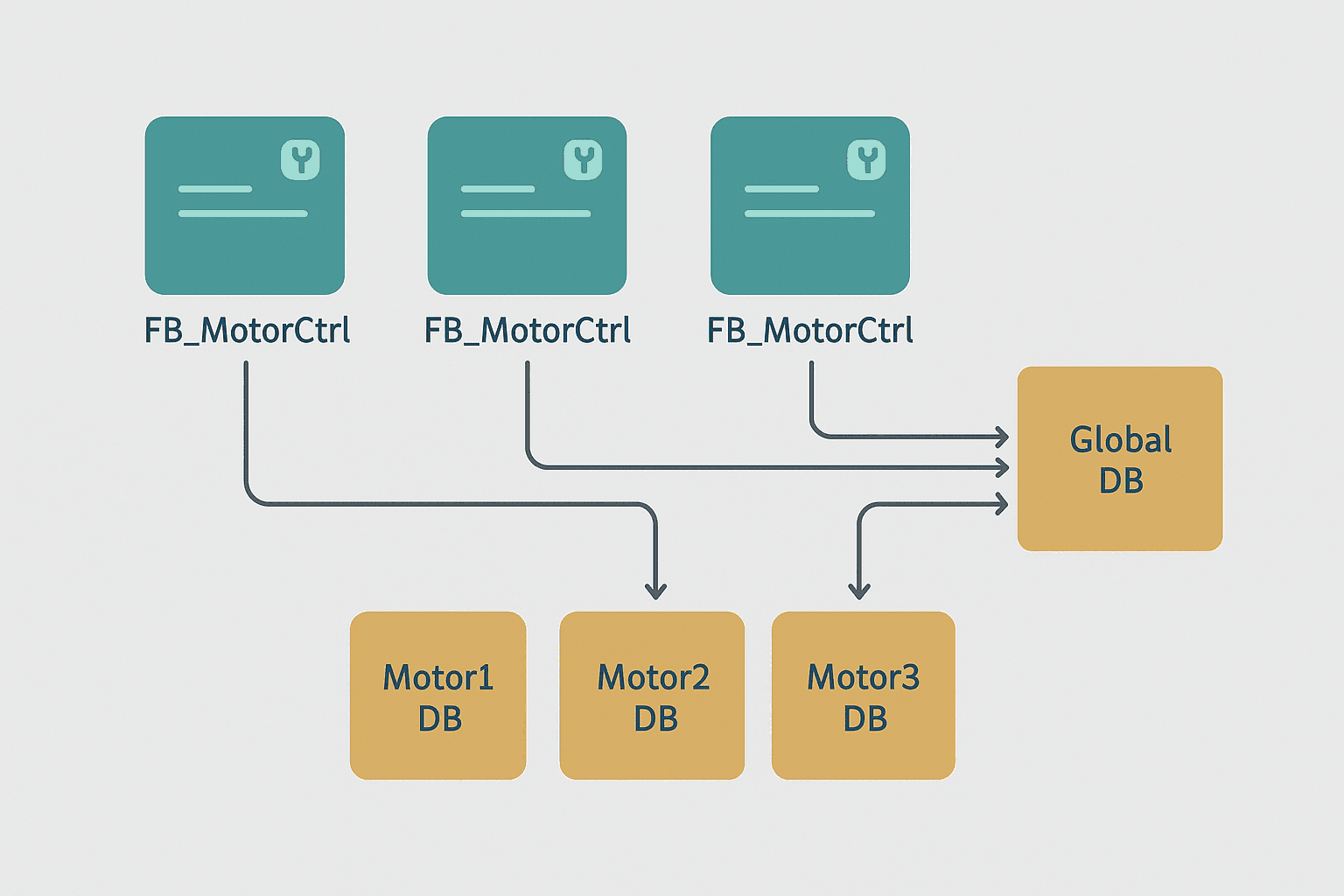
The practical implication is important. If you have a motor control FB and you want to drive three separate motors, you call the FB three times, each with its own Instance DB. Motor1_DB, Motor2_DB, Motor3_DB. Each one independently tracks that motor's run hours, fault state and output status. This is the reuse model that makes FBs worth building in the first place. You can explore this pattern further in the S7-1200 first program tutorial which walks through calling your first FB.
The Static vs Temp Variable Gotcha
New TIA Portal users often put too much in the Temp section of an FB and wonder why values disappear every scan. Temp variables are only valid during the current scan cycle execution of that block. They do not appear in the Instance DB at all. Static variables live in the Instance DB and persist. If you need a value to carry forward from one scan to the next, it must be Static. I have seen commissioning delays of several hours caused by a timer accumulator accidentally declared as Temp instead of Static.
| Variable Section | Lives in Instance DB? | Persists Across Scans? | Visible Outside FB? |
|---|---|---|---|
| Input | No (passed at call) | No | Yes (as FB pin) |
| Output | No (passed at call) | No | Yes (as FB pin) |
| InOut | No (passed at call) | No | Yes (as FB pin) |
| Static | Yes | Yes | Only via DB access |
| Temp | No | No | No |
Multi-Instance DBs: One DB to Rule Several Child FBs
Here is a feature that trips up engineers moving from S7-300 experience. On the S7-1200, when a parent FB calls child FBs internally, you can choose 'Multi-instance' for the child's storage. Instead of creating a separate DB for each child FB call, the child's Static variables get nested inside the parent's own Instance DB. The result: fewer DBs in your project tree, related data grouped logically, and slightly less memory overhead.
A practical example: a FB_ConveyorCell parent FB calls FB_MotorCtrl twice (one for a drive motor, one for a reject actuator) and one IEC_TON timer. If you use multi-instance for all three, the parent's Instance DB contains nested sub-structures: MotorCtrl_Drive, MotorCtrl_Reject, PurgeTimer. You access them as ConveyorCell_DB.MotorCtrl_Drive.RunHours, for example. This aligns well with how TIA Portal data blocks are structured overall.
Retentive Memory: What Survives a Power Cycle
Both Global DBs and Instance DBs support retentive variables on the S7-1200. You tick the 'Retain' checkbox per variable in the DB editor. The S7-1200 CPU stores retain data in a dedicated area backed by internal EEPROM, so it survives a power loss without a battery. The catch: the S7-1200 has only 10 KB of retentive memory by default (the exact limit depends on the CPU variant, check the hardware data sheet). If you mark every variable in a large array as Retain, you will hit that ceiling fast.
For run-hour counters, batch totals, and calibration offsets, retain is essential. For temporary process values like a live flow rate or a current setpoint that gets reloaded from a recipe on startup, retain is wasteful and can actually cause confusion after a firmware update wipes the retain area. Be deliberate about what actually needs to survive a power cycle. This matters especially if you are wiring analog inputs and storing calibration offsets in a DB, as covered in the S7-1200 analog input configuration guide.
Optimized vs Standard DB Access: The Memory Layout Choice
By default, TIA Portal creates S7-1200 DBs with 'Optimized block access' enabled. This means Siemens manages the memory layout internally for efficiency. You access variables only by their symbolic names, not by absolute byte offsets. Absolute addresses like DB5.DBW4 are not available in optimized mode.
Standard access (non-optimized) preserves fixed byte offsets and is needed when a third-party device or older SCADA driver must read the DB by absolute address. You can switch a DB from optimized to standard in the DB properties. Be aware that switching forces a full re-download and resets all start values. If you are connecting to an HMI via TIA Portal's integrated WinCC, you almost never need standard access since the HMI tag links by symbolic name. For HMI tag linking and PLC address mapping, symbolic access is the cleaner path.
A Field Example: Motor Sequencer with Global and Instance DBs
On a water treatment project I worked on a few years ago, we had six identical pump control FBs. Each pump got its own Instance DB (P1_DB through P6_DB). The duty/standby selection logic, the high-level alarm setpoints, and the SCADA-visible fault flags all lived in a single Global DB called GDB_PumpStation. The FBs read their setpoints from the Global DB at each scan and wrote their status back to it. The HMI only needed to watch GDB_PumpStation to display the full plant overview. It was clean, easy to troubleshoot online, and every technician could navigate it without reading the code.
That separation also made the PLC online monitoring workflow much faster. When a fault appeared, you opened the relevant Instance DB to see that pump's internal state, then cross-checked the Global DB to confirm the alarm flag matched what the HMI was showing. No guessing which memory address held what value.
Choosing Between a Global DB, an FC and an FB
A quick decision guide. Use a Function (FC) when the logic is stateless: calculations, scaling, unit conversions. No memory needed between scans. Use a Function Block (FB) with an Instance DB when the logic needs to remember state: timers, counters, step sequencers, motor control with run-confirm faults. Use a Global DB for data that crosses multiple FBs or needs to be visible to the HMI, SCADA or comms layer. And do not forget that PLC memory and addressing works differently across vendors, so the DB model is specifically a Siemens IEC 61131-3 implementation.
The S7-1200 supports all the IEC 61131-3 programming languages, and DBs are the shared memory substrate that makes multi-language projects possible. A ladder rung in OB1 can write a value to a Global DB that a Structured Text FB in a cyclic interrupt OB then reads. That interoperability is one of the real strengths of the S7-1200 platform compared to older fixed-architecture controllers.
S7-1200: FB_ConveyorCell Writing Fault Status to a Global DB. Ladder logic (3 rungs): Rung 0: examine if Cell_Running is on (XIC), then examine if MotorCtrl_Drive.RunConfirm is on (XIC), then examine if MotorCtrl_Drive.FaultActive is off (XIO), then energize output GDB_PumpStation.Cell1_DriveOK (OTE). Rung 1: examine if MotorCtrl_Drive.FaultActive is on (XIC), then examine if Drive_Fault_Rise is on (XIC), then latch output GDB_PumpStation.Cell1_FaultLatch (OTL). Rung 2: examine if GDB_PumpStation.Cell1_FaultLatch is on (XIC), then examine if GDB_PumpStation.HMI_FaultAck is on (XIC), then examine if MotorCtrl_Drive.FaultActive is off (XIO), then unlatch output GDB_PumpStation.Cell1_FaultLatch (OTU). Inside FB_ConveyorCell, the drive run-confirm and fault state from the Instance DB are written back to a Global DB so the HMI and other FBs can read them without accessing the Instance DB directly. The fault latch uses a rising-edge one-shot and clears only when the HMI acknowledges and the fault has cleared.
The diagram above evaluates one scan. Run these exact rungs on a real scan cycle to watch the latching and the timers behave.
Run this in the simulatorCommon Mistakes and How to Avoid Them
- Deleting a DB variable without a full recompile. TIA Portal will let you delete it in the editor, but if any code still references it the compile will fail. Always run a full project compile after structural DB changes.
- Forgetting to initialize start values. A new DB variable has a start value of zero or FALSE by default. If your logic depends on a non-zero initial setpoint, set the start value in the DB editor and use 'Initialize all' after download.
- Overusing retain. Marking every variable as Retain burns through the 10 KB retain area fast. Only retain what genuinely needs to survive a power cycle.
- Mixing optimized and standard DBs in the same project without a reason. Pick one approach per project unless you have a specific driver requirement forcing standard access.
- Accessing an Instance DB directly from OB1. You can do it symbolically, but it creates tight coupling between the calling block and the FB's internals. Better to expose data via the FB's Output pins or write it to a Global DB inside the FB.
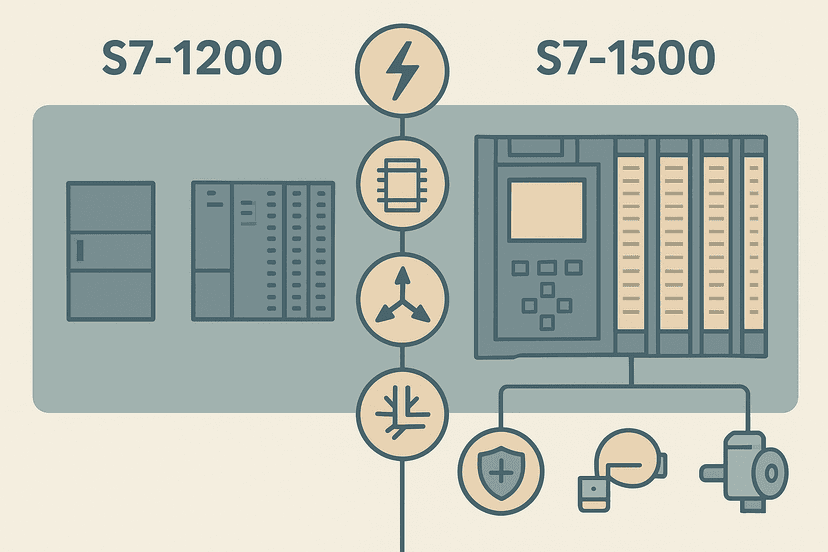
If you are stepping up from the S7-1200 to the S7-1500, the DB model is essentially the same but with larger memory limits and the addition of the SCL editor being more tightly integrated. The S7-1200 vs S7-1500 comparison covers where the real differences lie if you are deciding between the two platforms.
What to Read Next
If you want to put these DB concepts into practice, the S7-1200 first program in TIA Portal guide walks through creating your first FB and Instance DB from scratch. For a deeper look at all the DB types TIA Portal supports including ARRAY DBs and the newer DB slice syntax, see TIA Portal Data Blocks: DB Types and When to Use Each. And if your project involves analog process data stored in a DB, the 4-20 mA scaling in ST and Ladder guide shows exactly how to move scaled values in and out of a Global DB cleanly.
Frequently asked questions
What is the difference between a Global DB and an Instance DB in TIA Portal?
When should I use a Global DB instead of a Function Block with an Instance DB?
What is a multi-instance DB on the S7-1200?
How do I make S7-1200 data block variables retain their values through a power cycle?
What happens if I change a variable in an S7-1200 DB without doing a full download?
Does the S7-1200 support symbolic addressing for data blocks?
What is the maximum size of a data block on the S7-1200?
Can I access S7-1200 data block variables from an HMI or SCADA system?
Learn this by building it
There is a PLC in this site. It runs a real scan engine, checks your logic against the same tests a working machine would fail, and needs no download and no account.
Open the exercisesFree, no signup, runs in your browser. See all 16 exercises.
Was this helpful?