OPC UA Protocol Explained for PLC Engineers
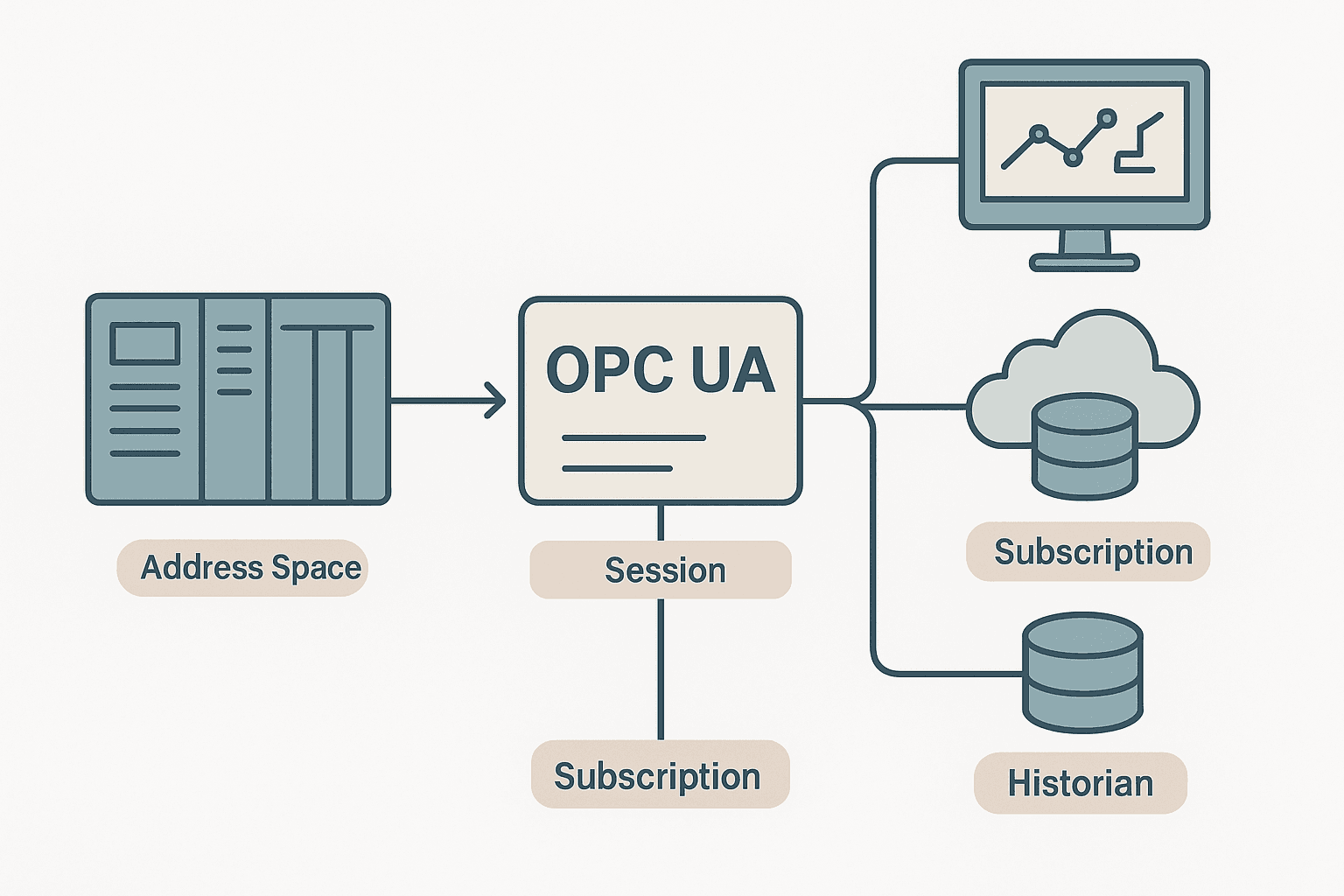
If you have spent any time around SCADA integrations or IIoT projects in the last five years, someone has probably dropped the term OPC UA into a meeting. It shows up in Siemens TIA Portal tick-boxes, in historian configuration screens, and in cloud connector documentation. But most of the explanations out there either stay so abstract they are useless, or jump straight into C# code samples before covering the fundamentals. This post takes a different approach: here is what the OPC UA protocol actually does, how it is structured, and where it fits in a real plant network, explained the way one engineer would explain it to another.
What Is the OPC UA Protocol?
OPC UA (Open Platform Communications Unified Architecture) is a platform-independent, service-oriented communication standard for industrial automation, defined under IEC 62541. It provides a single framework for transporting data, describing what that data means, and securing the exchange, all over standard Ethernet TCP/IP. An OPC UA server exposes a structured address space that clients can browse, read, write and subscribe to, without needing a separate configuration file or a vendor-specific driver for every connection.
Why OPC UA Replaced OPC Classic
The original OPC specifications (OPC DA, OPC HDA, OPC AE) worked well on Windows networks but were built on Microsoft COM/DCOM. That tied them to Windows, made firewall traversal painful, and offered no built-in encryption. If you ever wrestled with DCOM permissions at 2 am trying to get a historian to talk to a server, you know the pain.
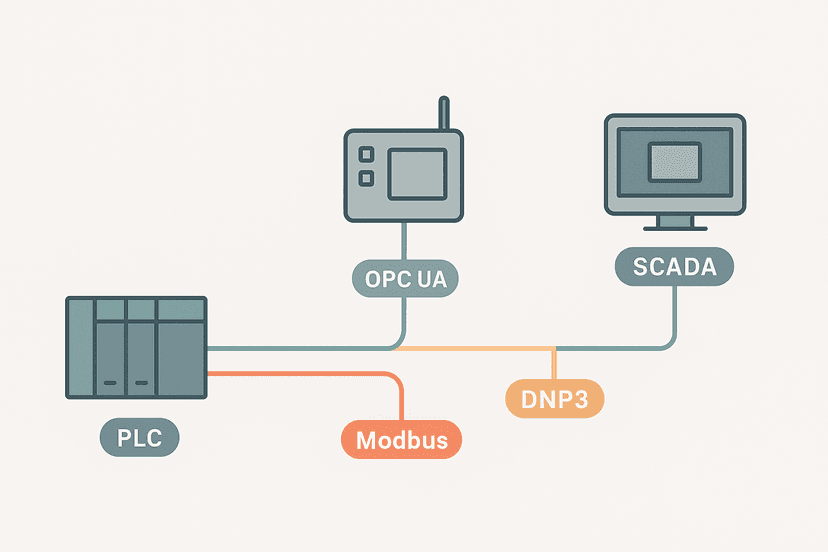
OPC UA ditched COM entirely. It runs on any OS, including the embedded Linux firmware inside modern PLCs. It carries its own security model, its own transport (binary TCP or HTTPS), and its own information modelling. The OPC Foundation published the first OPC UA release in 2008, and it has been the standard for new integrations ever since. When you read about SCADA communication protocols like Modbus, DNP3 and OPC UA, OPC UA is the one designed for the supervisory layer, not the field level.
The Client-Server Model and Address Space
Every OPC UA deployment has at least one server and at least one client. The server is the data source. It could be the embedded server inside a Siemens S7-1500 CPU, a standalone PC running a vendor gateway, or a soft-PLC like Beckhoff TwinCAT. The client is whatever wants to read or write that data: a SCADA package, a SCADA historian, a cloud connector, or a custom application.
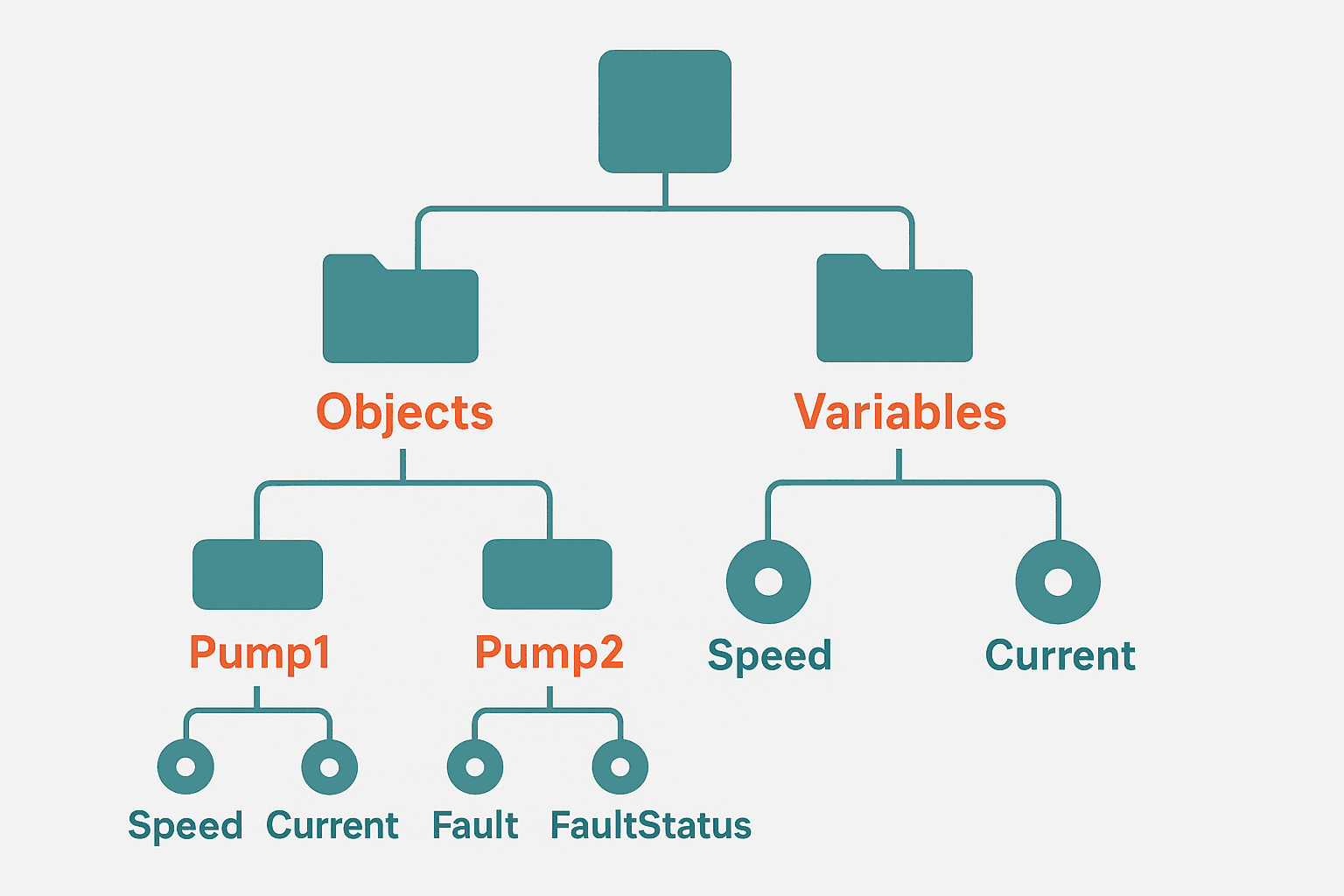
The server publishes an address space. Think of it as a tree structure, similar to a file system. Every item in the tree is a node. A node can be a Variable (a PLC tag value), an Object (a grouping like a pump unit), a Method (something a client can call to trigger an action), or a DataType definition. Each node has a NodeId, which is a unique identifier the client uses to reference it. Clients browse the tree to discover available data, rather than being pre-loaded with a flat tag list.
Sessions, Subscriptions and Monitored Items
When a client connects to a server, it establishes a Session. The session carries authentication credentials and keeps state. Inside a session, the client creates one or more Subscriptions. A subscription has a publishing interval, say 500 ms. Within that subscription, the client registers MonitoredItems, each pointing to a specific node. The server samples those nodes at the monitoring rate and sends changed values back in a Publish response only when the value has changed beyond a deadband. No change, no traffic. This is much more efficient than the polling loops you see in Modbus RTU or older OPC DA clients.
OPC UA Security: Certificates and Security Modes
This is where a lot of first-time OPC UA integrations hit a wall. OPC UA has a proper PKI-based security model, and by default most servers ship in a mode that requires certificate exchange before a client can connect. Here is how it works in practice.
The server has a certificate. The client has a certificate. Before the session opens, the server checks whether the client's certificate is in its trusted list, and the client checks whether the server's certificate is trusted on its end. If either side rejects the other, the connection fails. You will see this as a connection refused or certificate not trusted error in tools like UA Expert.
| Security Mode | Message Signing | Encryption | Use Case |
|---|---|---|---|
| None | No | No | Lab/development only, never production |
| Sign | Yes | No | Low-risk internal networks |
| Sign and Encrypt | Yes | Yes | All production systems |
On a Siemens S7-1500 you manage the trusted client certificates directly in TIA Portal under the CPU properties, OPC UA tab. You export the server certificate, import it into the client trust store, export the client certificate, and import that into the PLC. It sounds tedious the first time, but once you have done it once it takes about ten minutes. Skipping security entirely by setting mode to None is tempting during commissioning but becomes a real problem if you forget to change it before go-live. I have seen that exact mistake on a food plant where the OPC UA server was reachable from the office network. Not good.
OPC UA vs Modbus: When to Use Which
Modbus RTU is still perfectly valid for simple device-to-PLC links: a temperature transmitter, a flow meter, a drive with a handful of registers. It is easy to configure, uses minimal CPU overhead, and every engineer knows how the register map works. OPC UA is the right choice one layer up, where you are moving structured, typed data from a PLC or controller up to a SCADA system, a historian, or a cloud analytics platform. The self-describing address space means the client application can discover tags automatically instead of needing a manually maintained register map.
OPC UA is also the right answer when you need data from multiple PLCs across different vendors. A single OPC UA client can talk to a Siemens S7-1500, an Allen-Bradley ControlLogix and a Beckhoff CX series controller simultaneously, as long as each one runs an OPC UA server. The client code is identical for all three. Compare that to writing separate Modbus, EtherNet/IP and ADS drivers for the same three platforms.
OPC UA PubSub and the MQTT Bridge
The classic client-server model requires a persistent TCP connection between client and server. That works fine on a plant LAN, but it is awkward for cloud connectivity where you want millions of devices sending data to a broker. OPC UA PubSub, added in Part 14 of the IEC 62541 series, separates the data model from the transport. A PubSub publisher can push messages to an MQTT broker or a UDP multicast group using exactly the same OPC UA data types and node references. The broker stores and forwards; subscribers consume at their own rate.
In practice this means you can have a Siemens S7-1500 publishing process values to an MQTT broker using OPC UA PubSub encoding, and a cloud application consuming those messages without maintaining a direct TCP session to the PLC. This is the architecture behind most modern IIoT gateways. It fits naturally into a SCADA network design where you want to avoid punching inbound holes through the plant firewall.
Enabling OPC UA on a Siemens S7-1500: The Short Version
The S7-1500 has had an integrated OPC UA server since firmware V2.0. You enable it in TIA Portal under the CPU properties, General tab, OPC UA section. Key steps:
- Check 'Activate OPC UA server on this CPU'.
- Set the server port (default 4840) and maximum session count.
- Under 'Runtime licences', assign an OPC UA server licence if required (S7-1500 T-CPUs include it; standard CPUs need a licence for more than a handful of tags).
- In the OPC UA XML export, or directly in TIA Portal, mark the DB tags you want to expose as 'Accessible from HMI/OPC UA'.
- Configure the security policy: Basic256Sha256 with Sign and Encrypt for production.
- Export the server certificate and import the client certificate under 'Trusted clients'.
- Download to the PLC and use UA Expert to verify the endpoint is live on port 4840.
One gotcha: if you mark a variable inside an optimised Data Block as OPC UA accessible, TIA Portal assigns it a NodeId automatically. But if you later add or rearrange tags in that DB without re-exporting the address space, any hardcoded NodeId references in your client will break. Always use symbolic NodeIds (the tag name path) rather than numeric ones in your client code. For more on how TIA Portal Data Blocks work, see TIA Portal Data Blocks: DB Types and When to Use Each.
Where OPC UA Fits in the Plant Network Stack
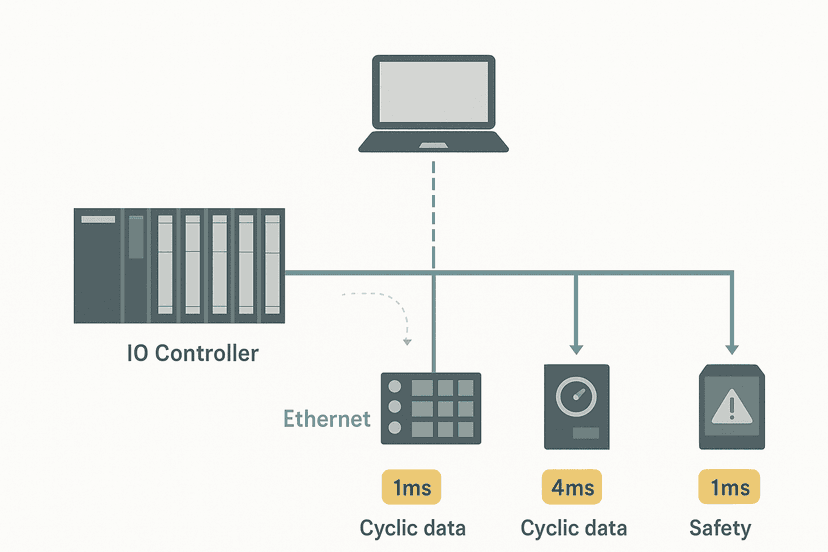
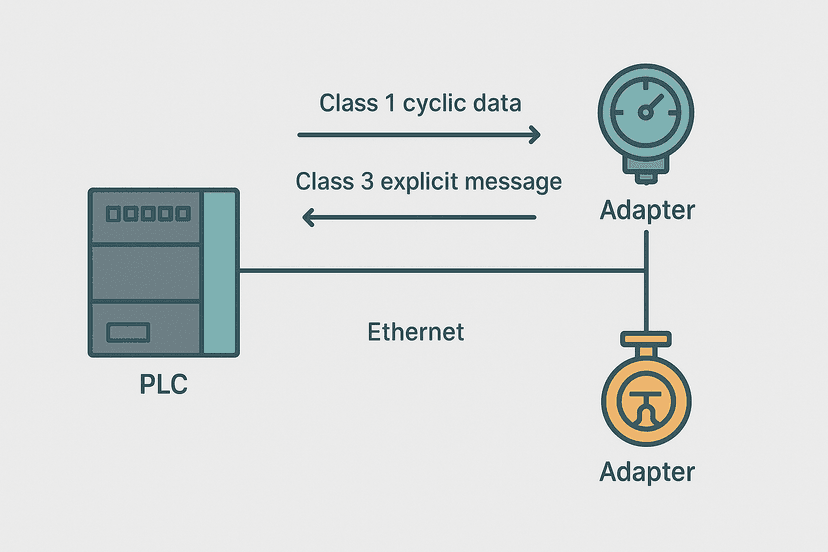
OPC UA sits at the supervisory layer, not the control layer. Your PROFINET IO or EtherNet/IP network handles deterministic I/O between the PLC and field devices. OPC UA then collects data from the PLC and sends it upward to SCADA, HMI systems, historians and analytics platforms. The two layers are complementary, not competing.
When you design the network, keep OPC UA traffic on a separate VLAN from your PROFINET or EtherNet/IP control traffic. A historian polling 500 tags at 100 ms intervals generates meaningful Ethernet load. You do not want that competing with scan-cycle-critical I/O frames. This also aligns with the defence-in-depth security model recommended for industrial networks, where the control layer is firewalled from the supervisory layer.
OPC UA and the SCADA Historian Connection
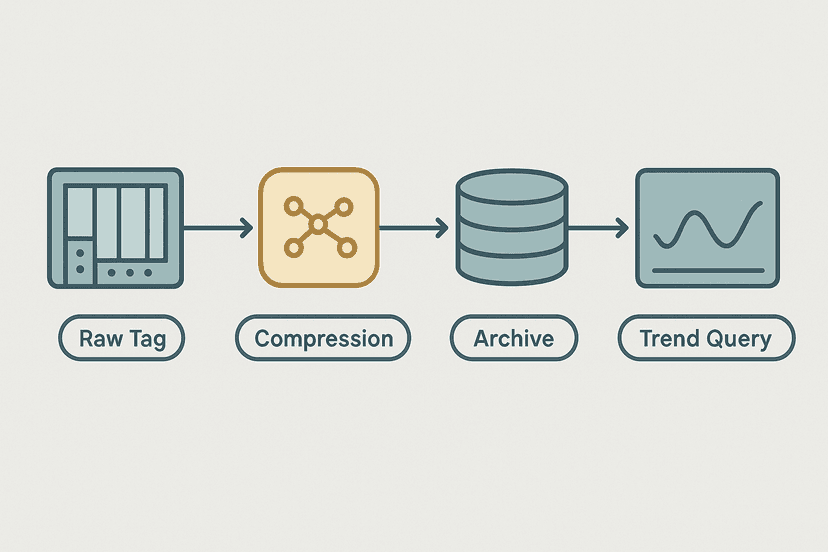
Most modern SCADA historians, including OSIsoft PI (now AVEVA PI), Ignition's historian module and Wonderware (AVEVA System Platform), support OPC UA as a native data source. The historian acts as an OPC UA client, subscribes to the tags it needs, and logs every value change with a timestamp and quality code. The quality code matters: OPC UA carries a StatusCode on every data value, so the historian can flag bad readings caused by a lost sensor or a PLC fault rather than silently logging zero. This feeds directly into the kind of alarm and event data that SCADA alarm management systems rely on.
If you are integrating OPC UA data into an HMI, you will also need to think about tag mapping. The OPC UA node path becomes the data source address in your HMI software, similar to how you map a PLC memory address to an HMI tag. See HMI Tag Linking: Mapping PLC Addresses Correctly for how that works in practice.
A Quick Word on OPC UA FX
OPC UA FX (Field eXchange) is a newer extension aimed at replacing traditional fieldbuses at the device level. It defines how OPC UA can carry time-synchronised, deterministic I/O directly between controllers and field devices, potentially replacing PROFINET or EtherNet/IP in future architectures. As of 2024 it is still in early adoption, with vendor implementations appearing on high-end controllers. It is worth watching, but for current projects the standard client-server and PubSub models are what you will actually deploy.
Keep Learning
OPC UA rarely lives in isolation. It connects upward to SCADA and historians, and downward to PLCs running fieldbus networks. Sharpen the full picture with these posts: SCADA Communication Protocols: Modbus, DNP3 and OPC UA covers where OPC UA sits alongside the other supervisory protocols. SCADA Historian: How Process Data Gets Stored shows what happens to the data once OPC UA delivers it. And if you are deploying on Siemens hardware, Structured Text in TIA Portal: A Practical Guide walks through the programming side that sits behind the OPC UA server tags.
Frequently asked questions
What does OPC UA stand for?
Does my PLC need extra hardware to run OPC UA?
What is the difference between OPC UA and Modbus?
Is OPC UA the same as MQTT?
What is an OPC UA address space?
How fast can OPC UA sample data?
What are OPC UA security modes?
Can OPC UA replace PROFINET or EtherNet/IP on the machine network?
How do OPC UA subscriptions work?
What tool can I use to browse an OPC UA server for free?
Learn this by building it
There is a PLC in this site. It runs a real scan engine, checks your logic against the same tests a working machine would fail, and needs no download and no account.
Open the exercisesFree, no signup, runs in your browser. See all 16 exercises.
Was this helpful?