SCADA Remote Access: How to Do It Safely
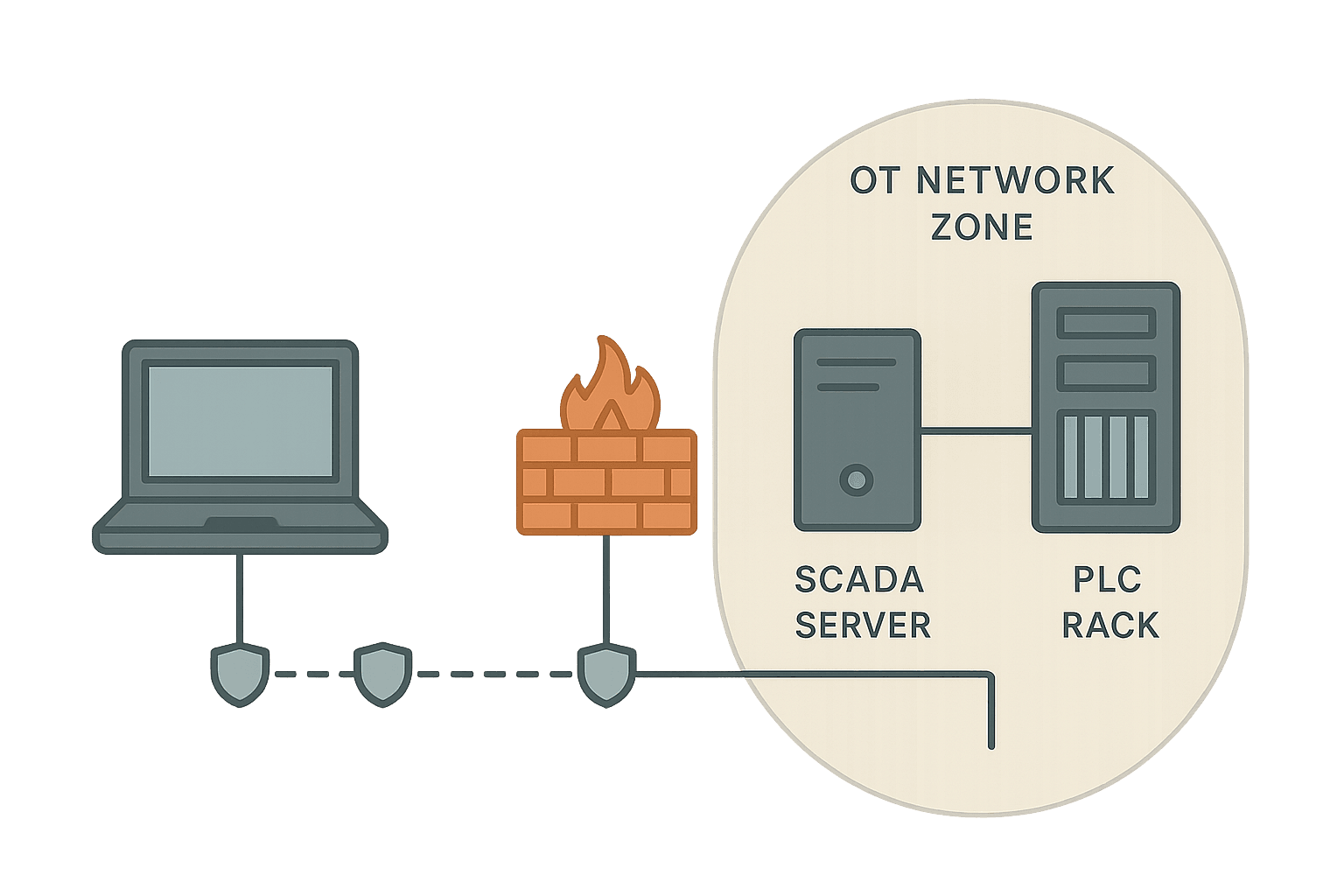
Every plant eventually needs someone to log in remotely. Maybe it is a vendor diagnosing a drive fault at 2 a.m., or your own engineer checking a process trend from another site. SCADA remote access is not optional anymore. But the way most sites implement it ranges from risky to outright dangerous, and the consequences of getting it wrong go well beyond a nuisance IT ticket.
What Is SCADA Remote Access?
SCADA remote access is any method that allows an engineer, technician or vendor to connect to a SCADA system, HMI or PLC from outside the local control network, typically over a WAN or the internet. It covers reading live process data, adjusting setpoints, downloading PLC programs, and viewing historian trends, all from a location physically separate from the plant. Done correctly, it saves hours of travel and enables faster fault resolution. Done incorrectly, it is the single most common entry point for industrial cyberattacks.
Why SCADA Remote Access Is Riskier Than IT Remote Access
IT systems have patch cycles measured in days. OT systems often run the same firmware for five to fifteen years because a maintenance window that would let you patch a PLC or SCADA server might only come once a year, if that. A SCADA server running Windows Server 2012 behind a firewall is manageable. That same server with an RDP port open to the internet is a catastrophe waiting to happen.
The blast radius is also different. A breach on your company email server is painful. A breach on your SCADA system can physically stop a production line, open or close valves at the wrong time, or in critical infrastructure scenarios cause real harm. The SCADA system architecture that makes your plant visible and controllable from a workstation is exactly what makes it worth attacking remotely.
The Core Architecture: DMZ, Firewall and Jump Server
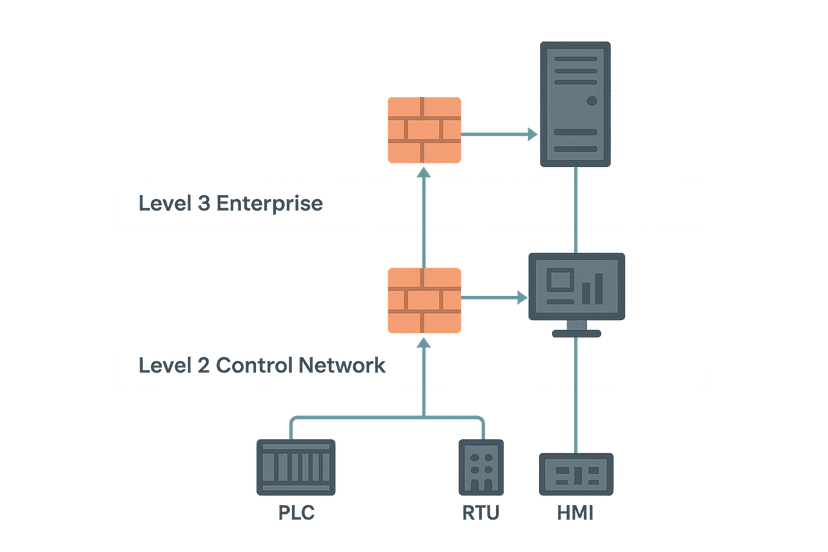
The foundation of safe SCADA remote access is a properly segmented network. You need at least two firewalls creating a DMZ zone between your corporate IT network and your OT network. The SCADA network design principle here is simple: nothing from IT talks directly to OT, and nothing from the internet talks directly to IT or OT without passing through controlled choke points.
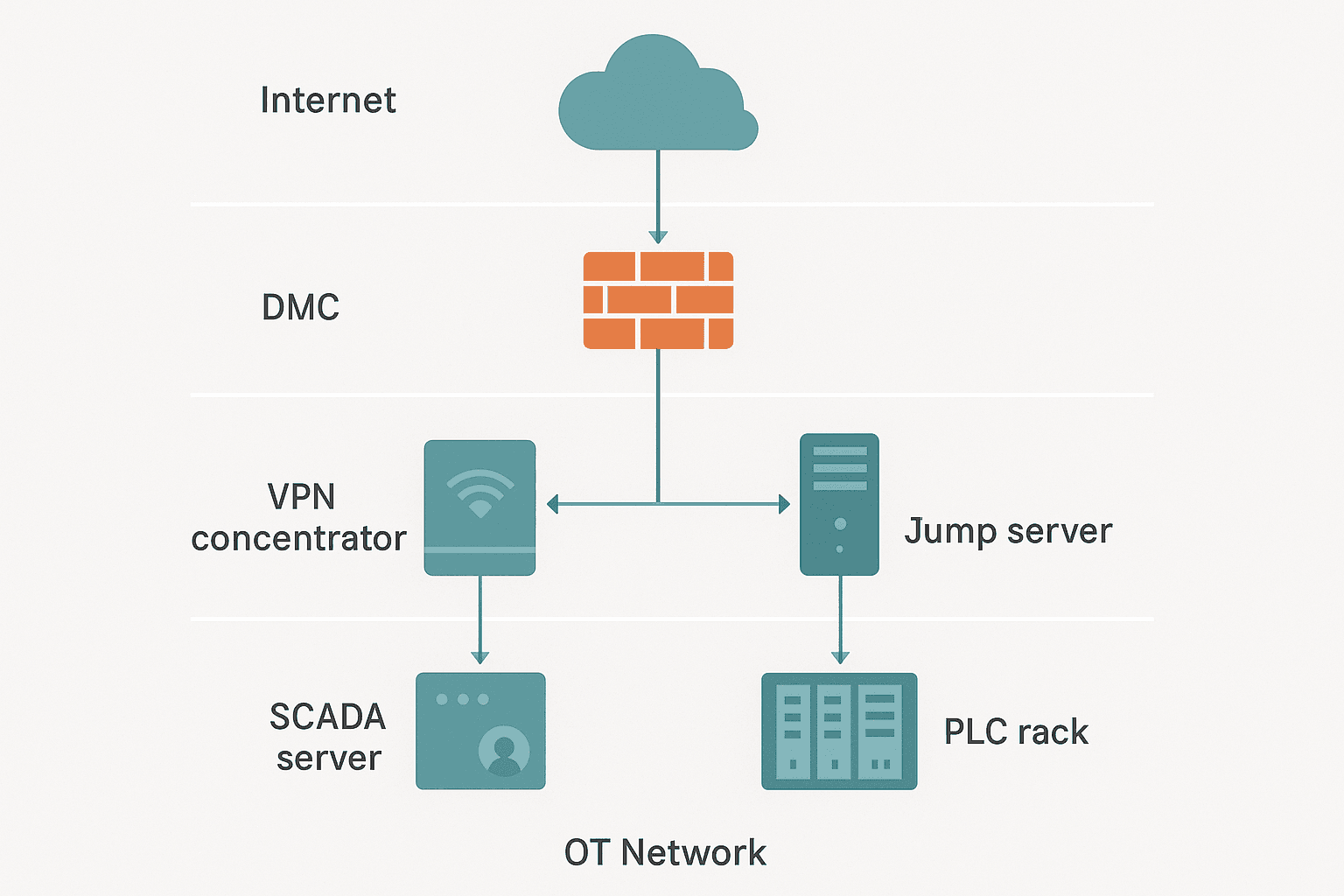
Inside the DMZ you place the remote access entry points: a VPN concentrator and a jump server (sometimes called a bastion host). Remote users connect to the VPN first, land in the DMZ, then RDP into the jump server. From the jump server they can reach SCADA workstations and PLCs over the OT network. The jump server is the only machine that has firewall rules permitting access into the OT zone.
The jump server itself should be hardened. Remove every application that is not needed. No email client, no browser, no office suite. Enable session logging so you have a record of every command and every screen change. Some sites record the full desktop session as a video for audit purposes. That sounds like overkill until you are trying to reconstruct what a vendor changed during a midnight support call.
VPN: Site-to-Site vs Client VPN for OT Access
You have two main VPN options for remote access. A site-to-site VPN creates a permanent encrypted tunnel between two fixed locations, such as your plant and a central engineering office. A client VPN (like OpenVPN or IPsec IKEv2) lets individual users connect from anywhere using a software client and credentials.
| Option | Best For | Key Risk |
|---|---|---|
| Site-to-site VPN | Permanent links between fixed sites (plant to office) | Compromised office network can reach OT directly if not further segmented |
| Client VPN to DMZ | Individual engineers, vendor support | Credential theft if MFA is not enforced |
| Industrial-specific VPN appliance (e.g. Tosibox, Secomea, HMS Ewon) | Vendor remote support, small sites without full IT infrastructure | Vendor cloud dependency, check data residency |
For vendor access specifically, I have had good results with dedicated industrial VPN appliances from vendors like HMS Ewon and Secomea. They sit on the OT network, call out through the firewall to a cloud relay, and let the vendor connect without you needing to open any inbound firewall ports. The tradeoff is cloud dependency and the fact that your traffic routes through a third-party server. Understand that before you sign up, especially for regulated industries.
Multi-Factor Authentication Is Not Optional
Every remote access entry point must require multi-factor authentication (MFA). A username and password alone is not enough. Passwords get phished, shared, and reused. Adding a TOTP app (like Google Authenticator or Microsoft Authenticator) or a hardware token means a stolen password alone gets an attacker nowhere.
I know the pushback: operators find it annoying. The answer is to make the workflow as smooth as possible while keeping MFA mandatory. Push notifications to a phone are less friction than typing a six-digit code. For sites where operators share workstations, smart card readers tied to individual accounts work well. Whatever the method, enforce it at the VPN and at the jump server login.
Role-Based Access Control: Limit What Each User Can Touch
Not every remote user needs the same level of access. A vendor diagnosing a VFD fault on one drive should not have read-write access to the entire SCADA system. Define access roles before you deploy remote access, not after.
- Read-only operator: can view live data and trends, cannot change setpoints or download programs
- Process engineer: can adjust setpoints and view historian data, cannot modify PLC logic
- Maintenance technician: can acknowledge alarms and jog outputs, scoped to specific equipment
- Vendor/OEM: scoped to their specific PLC or drive, time-limited session, monitored
- SCADA administrator: full access, MFA plus IP whitelist mandatory, sessions logged
Most SCADA software packages support role-based security natively. The SCADA alarm management configuration and HMI tag linking both touch the same underlying security model: control who can see what, and who can write to what. Set it up once, document it, and review it whenever a user leaves or a vendor contract ends.
SCADA Remote Access and OPC UA: A Better Protocol Choice
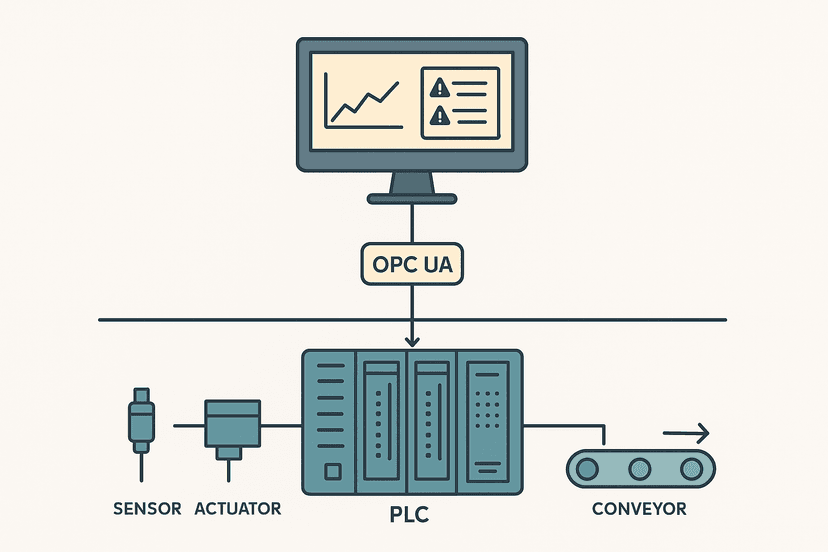
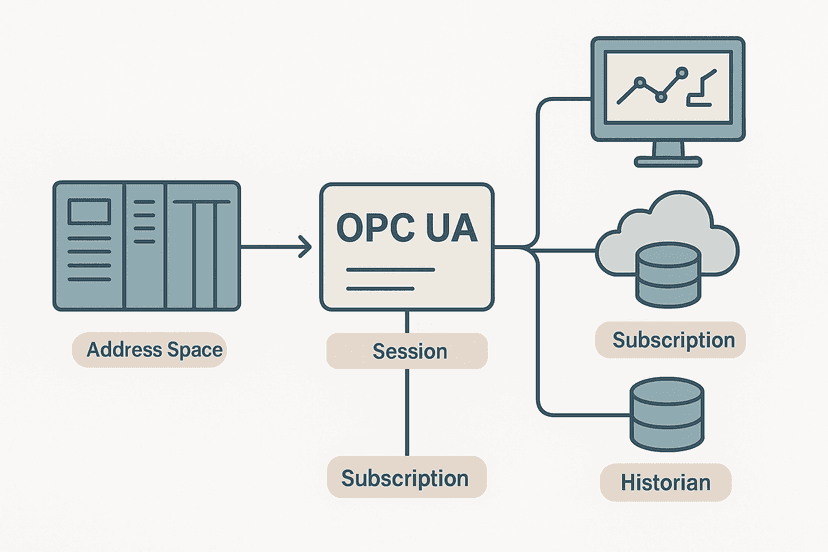
If you are designing a new system or upgrading an existing one, OPC UA is worth serious consideration for your data layer. OPC UA has built-in security: encrypted transport, signed messages, certificate-based authentication, and fine-grained access control per node. Compare that to OPC Classic DA which used DCOM and required opening a minefield of dynamic ports through your firewall. OPC UA over a VPN tunnel to a jump server is a defensible architecture. OPC DA through a firewall hole is not.
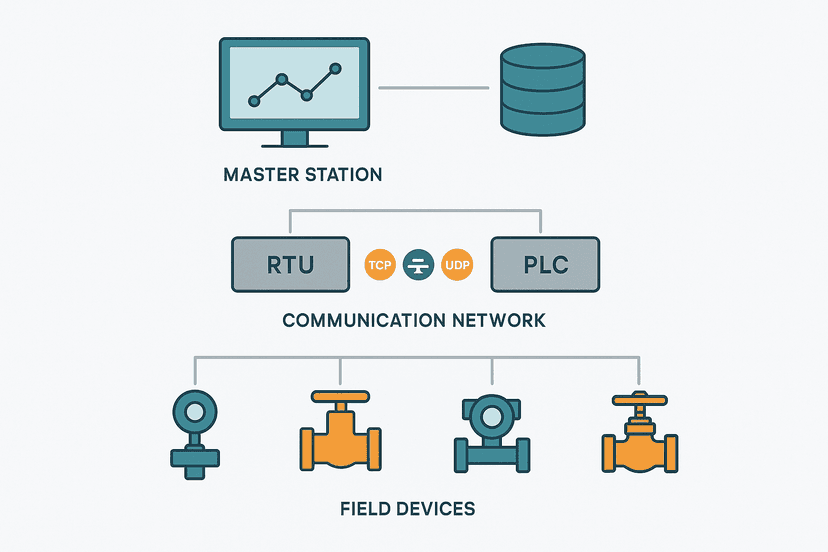
For older sites still running Modbus RTU or Modbus TCP for field device communication, those protocols have no built-in authentication at all. That is fine on an isolated OT network. It is not fine if a remote connection can reach a Modbus TCP device directly. Your firewall rules must block any direct access to port 502 from outside the OT zone.
A Field Lesson: What Happens When You Skip the Jump Server
Early in my career I inherited a water treatment site that used a consumer VPN router to allow remote access. The VPN terminated directly on the SCADA server, which also ran the historian and the OPC server. A vendor had enabled RDP on that server to do a software upgrade and never disabled it. The server was never patched because 'it would disrupt the process'. Within eight months, it was found by an automated scanner and hit with ransomware. The SCADA database was encrypted. Recovery took four days and involved restoring from a backup that was six weeks old.
The fix was not complicated: a proper DMZ, a jump server, a patching schedule for the SCADA server during planned shutdowns, and VPN credentials with MFA. None of it was expensive. All of it was avoided until it was too late. Do not wait for the incident.
Practical Checklist for SCADA Remote Access Hardening
- Segment the OT network from IT with at least one dedicated firewall. Two firewalls creating a DMZ is better.
- Deploy a VPN that terminates in the DMZ, not on the OT network directly.
- Enforce MFA on all VPN and jump server logins, no exceptions.
- Place a hardened jump server in the DMZ. Log all sessions. Restrict installed software.
- Define and enforce role-based access in your SCADA software. Review quarterly.
- Whitelist source IPs for all remote access accounts where technically feasible.
- For vendor access, use time-limited credentials or industrial VPN appliances with session monitoring.
- Ensure no SCADA, PLC programming, or historian ports (502, 4840, 102, 44818) are reachable from the internet.
- Patch SCADA servers and jump servers on a defined schedule, using planned outage windows.
- Centralise VPN and jump server logs. Alert on off-hours logins and repeated failed attempts.
- Document every remote access account, its owner, its role, and its expiry date. Remove accounts when people leave.
- Test your remote access setup annually with a penetration test or at minimum an internal review.
How This Fits the Wider SCADA Picture
Remote access security does not exist in isolation. It depends on having a well-designed SCADA system architecture to begin with, a historian that can be accessed safely without exposing the live process layer, and SCADA communication protocols that support authentication. If you are also thinking about how your HMI fits into this picture, the relationship between local HMIs and remote SCADA access is covered in HMI and SCADA: How They Fit Together in a Real Plant.
The SCADA vs PLC relationship is also relevant here: your PLC is the device that actually moves things, and protecting remote access to the SCADA layer is partly about making sure no remote user can issue a command to a PLC that bypasses the safety interlocks designed into the local control logic. Defense in depth means the PLC program itself should reject unsafe commands regardless of their source, but you still do not want unauthorized users issuing those commands in the first place.
What to Read Next
If you are building out your SCADA security posture from scratch, start with SCADA Network Design: Topologies, Protocols and Security for the broader network architecture picture. Then look at SCADA Communication Protocols: Modbus, DNP3 and OPC UA to understand which protocols carry security features natively and which do not. For the alarm side of remote operations, SCADA Alarm Management: Cutting Nuisance Alarms the Right Way is worth your time.
Frequently asked questions
What is the safest way to provide remote access to a SCADA system?
Can I use TeamViewer or AnyDesk to access a SCADA system remotely?
What ports do SCADA systems typically use that need to be protected?
What is a jump server in the context of SCADA remote access?
Do I need a separate VPN for the OT network or can I use the corporate VPN?
What is network segmentation and why does it matter for SCADA security?
Should remote SCADA access be allowed 24/7 or only on demand?
How do I audit who accessed my SCADA system remotely?
What is the difference between a SCADA DMZ and a regular IT DMZ?
Learn this by building it
There is a PLC in this site. It runs a real scan engine, checks your logic against the same tests a working machine would fail, and needs no download and no account.
Open the exercisesFree, no signup, runs in your browser. See all 16 exercises.
Was this helpful?